Check the current label after scanning a food barcode
By Mr.Apps · Oct 28, 2026
Category:Apps
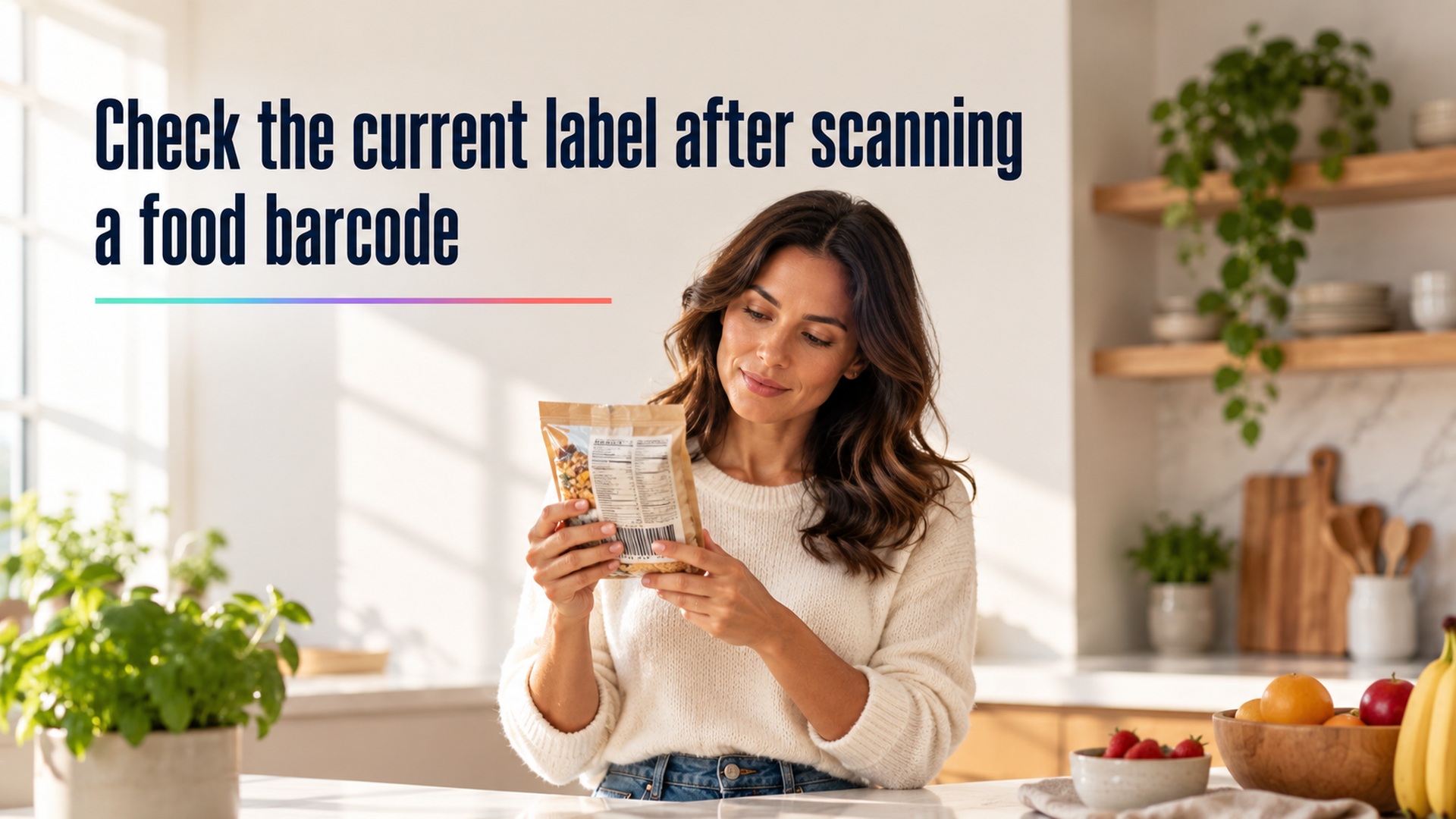
A barcode scan is a useful way to find a food entry, but it is only a first match. The product in your hand may have a different size, recipe, or label revision from the record an app retrieves. I recommend checking the package itself before accepting the database result. That small pause can prevent a correct scan from becoming an inaccurate nutrition log.
What a barcode scan actually matches
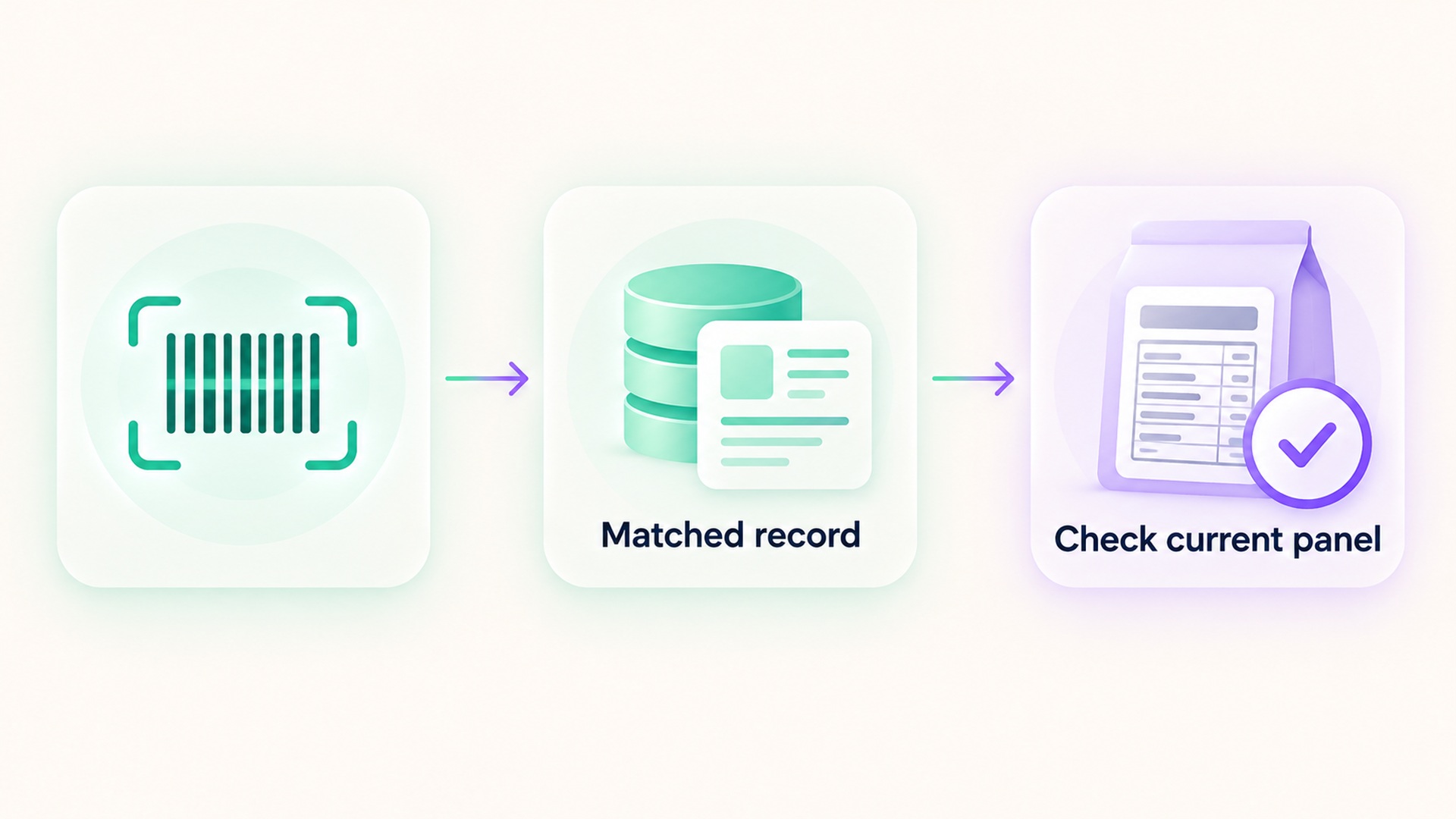
A barcode is an identifier that helps software retrieve a product record. It does not measure the food, read the package in real time, or prove that every nutrient value in a database is current. Depending on the service, the returned record may come from a public database, a manufacturer feed, a commercial catalog, or a contribution that has not yet been checked against the package you are holding.
Official food-data documentation describes a collection of data types with different purposes and update schedules. The database update FAQ explains that branded-food records are updated on a different schedule from foundation food data. A record can therefore be useful and still need an identity check. A scan tells you where to look; it does not remove the need to compare what is on screen with what is on the package.
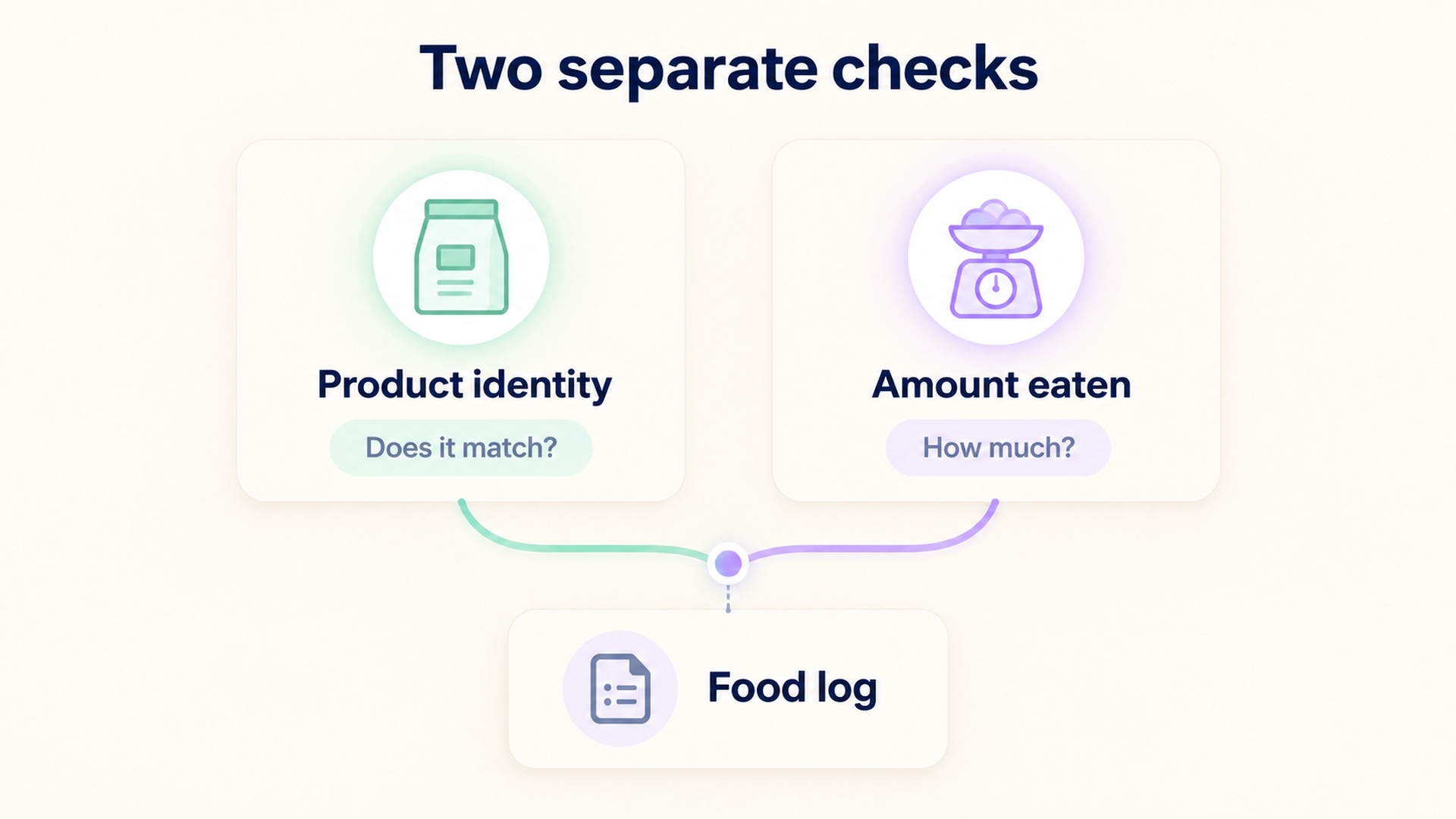
This distinction also keeps the correction process fair. If an app retrieves an older label, the database entry is mismatched to the current product. That does not mean you ate a different amount than you recorded. If the product is right but the serving count is wrong, the problem is portion entry. Those are separate questions, and they deserve separate corrections.
Match the exact product before logging it
Start with the product name, form, and variant. A plain version, a flavored version, and a reduced-sodium version may share a similar package design while listing different ingredients or nutrient amounts. A product sold in several sizes may use the same formula, but its serving count and net quantity still need to match the package. Do not assume that a familiar front label is enough to identify the record.
Next compare the package’s Nutrition Facts panel with the returned entry. Check serving size, servings per container, calories, and the nutrient values that matter for the log. Then confirm that the package has not been reformulated or replaced by a similarly named item. A version, size, or flavor difference is a reason to pause and find a closer match, not to average the two records.
The overview of the Nutrition Facts label explains that serving size is a reference amount for the label and that the listed values apply to that amount. An app may display the same values per serving, per container, or per a selected gram amount. Confirm the unit and serving basis before copying a number. A value that looks close can still refer to a different quantity.
Barcode matching can also fail when packaging changes. The code may remain the same while a recipe or panel is updated, or a product catalog can retain an older version after the store has received new stock. I would treat a visibly different label as current evidence for the item in hand. If the app lets you report a mismatch, use the available correction path and keep the package details with your note. If it does not, select a verified alternative or enter the label values manually when the software supports that option.
Keep food identity separate from amount eaten
Once the entry matches, record the amount actually consumed using the same basis shown by the entry. If the package lists one serving as a certain weight, a kitchen scale can help match that amount. If you use a household measure, check that the entry uses the same measure and food form. A serving-size mismatch is not repaired by choosing a more detailed product record; product identity and portion size are different parts of the calculation.
Packaged foods can have several servings in one container. The front of a package may emphasize the total package, while the panel reports information per serving. If you ate the whole item, use the number of servings actually consumed or select a whole-container entry when the database provides one. The serving-size explanation is useful here because it distinguishes a labeled serving from a recommendation about how much a person should eat.
For a barcode mismatch, change the food record, not the portion, unless the portion itself was also entered incorrectly. This matters when reviewing patterns. If an app silently multiplies the right serving by the wrong number of servings, correcting only the food identity can leave the total wrong. If the food record is outdated but the portion is accurate, changing the amount to force a desired total hides the actual source of the error.
Use a calm correction sequence
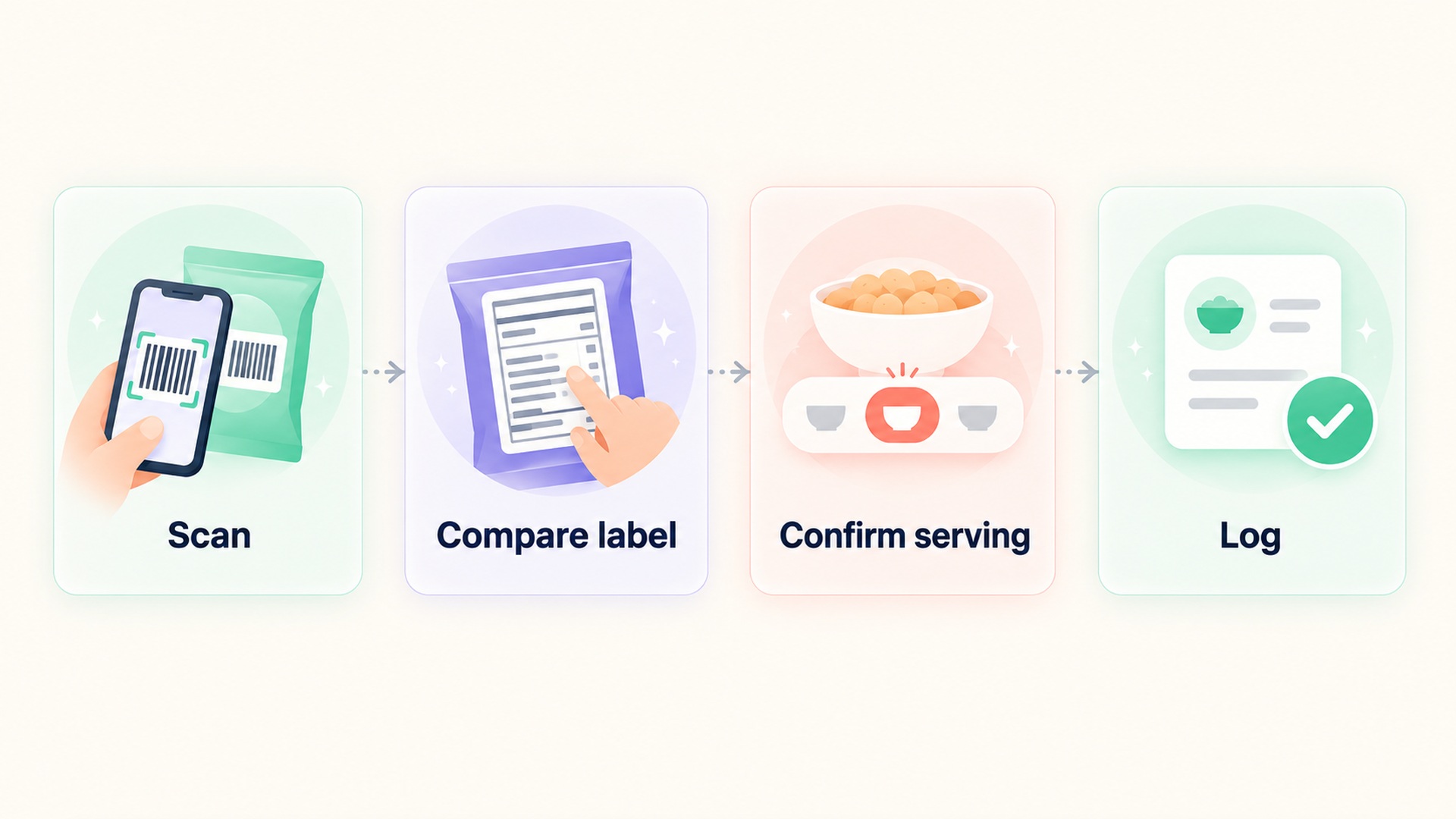
A practical review can follow four steps. First, scan the code and check whether the product name and variant match the package. Second, compare the listed serving basis and a few visible nutrient values with the current label. Third, select a record that matches the exact product and quantity, or use a supported manual entry. Fourth, save the correction with a short note if the app supports notes or source details. This creates a clear trail without turning a simple log into a research project.
If two records appear to match, compare the label’s serving amount and major values rather than choosing the first result. The official food-database search and data types make clear that the database is designed for several food-data uses; a record’s presence does not certify that a consumer’s barcode scan has retrieved the newest package version. In a commercial app, the exact source may not be shown. When the source or update date is absent, the package panel is the more direct reference for the specific item in your hand.
When the current package and database disagree
First check whether you are comparing the same food form and serving amount. A dry, prepared, concentrated, or drained product may have a different nutrient profile even when the package name is similar. Then inspect the ingredient list and the current Nutrition Facts panel. If the product is clearly different, search by its exact name or choose another supported entry that truly matches. An approximate match should be labeled as approximate when the app allows it.
If the product is the same but the app’s values differ from the panel, use the package as the immediate reference for the package you consumed. Keep a photo or note only if that is useful and appropriate for your record. Do not infer that the manufacturer or database made an error from one discrepancy alone; the data may describe different dates or formats. A report to the app’s support or correction feature can help, but the record should remain transparent while the discrepancy is unresolved.
For a food without a usable barcode, the same standard applies. Search for the exact form and compare the serving unit. The official food-database update log shows that food data changes over time. The practical lesson is not to distrust databases; it is to recognize that a database is a maintained reference, not a live copy of every package in every store. When the item’s label is available, check it.
This approach is also compatible with a simpler food record. A log is useful when it preserves enough context to answer the question being asked. It does not need to become a laboratory-grade account of every ingredient. A person reviewing an energy or recovery pattern should be able to tell whether an entry came from the matching product, a generic substitute, or a manual estimate. A short note about the source can be more informative than an extra decimal place.
For broader context on using food records without turning each entry into a score, see how to decide whether food logging adds useful recovery context. The goal is a record that is consistent enough to interpret. A mismatched barcode entry can distort that record, but it does not establish anything by itself about health, energy, or recovery.
What a barcode cannot tell you
A scan cannot confirm the exact amount eaten, whether the package was fresh, or whether a manufacturer changed its recipe after a record was created. It cannot determine how a food affected an individual’s health. It also cannot replace dietary advice from a qualified professional when a person has a medical condition or specific nutrition needs. Keep the app in its proper role: a convenient organizer of information whose entries should remain open to review.
The strongest routine is deliberately modest: scan, compare, confirm, and then log the amount. If the information agrees, proceed. If it does not, choose a clearly matching record or mark the entry as uncertain. The label overview offers a reference for reading packaged-food panels. A few seconds spent checking the package can preserve the difference between an old database match and the food actually consumed.
FAQ
Does a barcode scan guarantee that the nutrition data is current?
No. A scan retrieves a product record, but the record may not reflect the package version in hand. Compare the product variant, serving basis, and current Nutrition Facts panel before accepting it.
Should I change the amount eaten when the app’s nutrients do not match the label?
Only if the portion was also entered incorrectly. If the product record is outdated or mismatched, correct the food identity separately. Changing a correct portion to force a total to match can hide the source of the discrepancy.
What should I do if there is no exact entry?
Choose a supported entry that closely matches the food form and serving unit, and mark it as an estimate if the app allows. If available, record the package values manually or report the mismatch through the app’s correction feature. Do not present an approximate match as an exact one.
*This article is for informational purposes only and is not a substitute for professional medical advice, diagnosis or treatment.*
Sources:
USDA FoodData Central·U.S. Food and Drug Administration·U.S. Food and Drug Administration·USDA FoodData Central·USDA FoodData Central·U.S. Food and Drug Administration
Related articles

Stable body weight does not rule out inadequate fueling for training
A steady body-weight trend does not show whether food intake supports training and normal body functions. Learn why scale readings need training, recovery, and health context, and when to seek individualized advice.

Carbohydrate replenishment and a normal recovery score are different signals
A normal recovery score does not show whether muscle glycogen has been replenished after exercise. Learn how to read training, food, and autonomic signals as separate pieces of context.

A beverage log does not capture all sources of dietary water
A drink tracker may omit water that comes from food, and an intake total does not establish hydration status. Learn how to label beverage entries, food moisture, and uncertainty separately.

Track digestive tolerance when dietary fiber increases
A nutrient total cannot show how a fiber change felt. Learn how to log food details, digestive symptoms, and uncertainty separately without assuming every symptom came from fiber.

Daily protein totals can hide how intake is distributed
A daily protein total does not show how intake was spread across meals. Learn how to preserve meal-level entries, interpret research limits, and keep recorded patterns separate from nutrition targets.

Short-term weight changes do not identify how much body fat changed
A scale measures total body mass, which combines water, fat, lean tissue, and digestive contents. Learn why a short-term change cannot isolate body-fat change or replace a composition assessment.

Drug allergy and medication intolerance need distinct record fields
A medication reaction does not automatically establish a drug allergy. Learn which record fields preserve the reaction, its source, timing, and uncertainty for professional review.

Lower appetite does not reveal how much energy was consumed
Appetite is a sensation, while intake is the food and drink consumed. Learn why a lower hunger rating cannot fill in a food record or establish an energy target.

Recording symptom severity with a scale you can use consistently
A symptom score is easier to interpret when the same number keeps the same meaning over time. Learn how to define stable anchors, record functional impact separately, and preserve unknown entries.

A medication reminder is different from a confirmed dose record
A reminder records an expected time, while a dose log records what a person reports happened. Learn how to preserve unknown status and separate scheduled alerts from dose history.