A heart rate export may not contain beat interval data
By Mr.Apps · Oct 21, 2026
Category:Wearable

A heart-rate export can look detailed and still be missing the information needed for a beat-to-beat variability calculation. A file of heart-rate values in beats per minute is not automatically a file of the exact time intervals between consecutive beats. Before opening an analysis tool, check the export fields and confirm what the recording actually saved.
This distinction matters when someone exports a workout, sees hundreds of heart-rate samples, and expects to calculate heart-rate variability (HRV) from them. HRV metrics are calculated from intervals between beats, usually expressed in milliseconds. A heart-rate trace can be useful for reviewing exercise intensity and timing, but if it contains only values reported at intervals, it cannot reveal every individual interval that occurred between those readings.
Heart rate and beat intervals describe different data
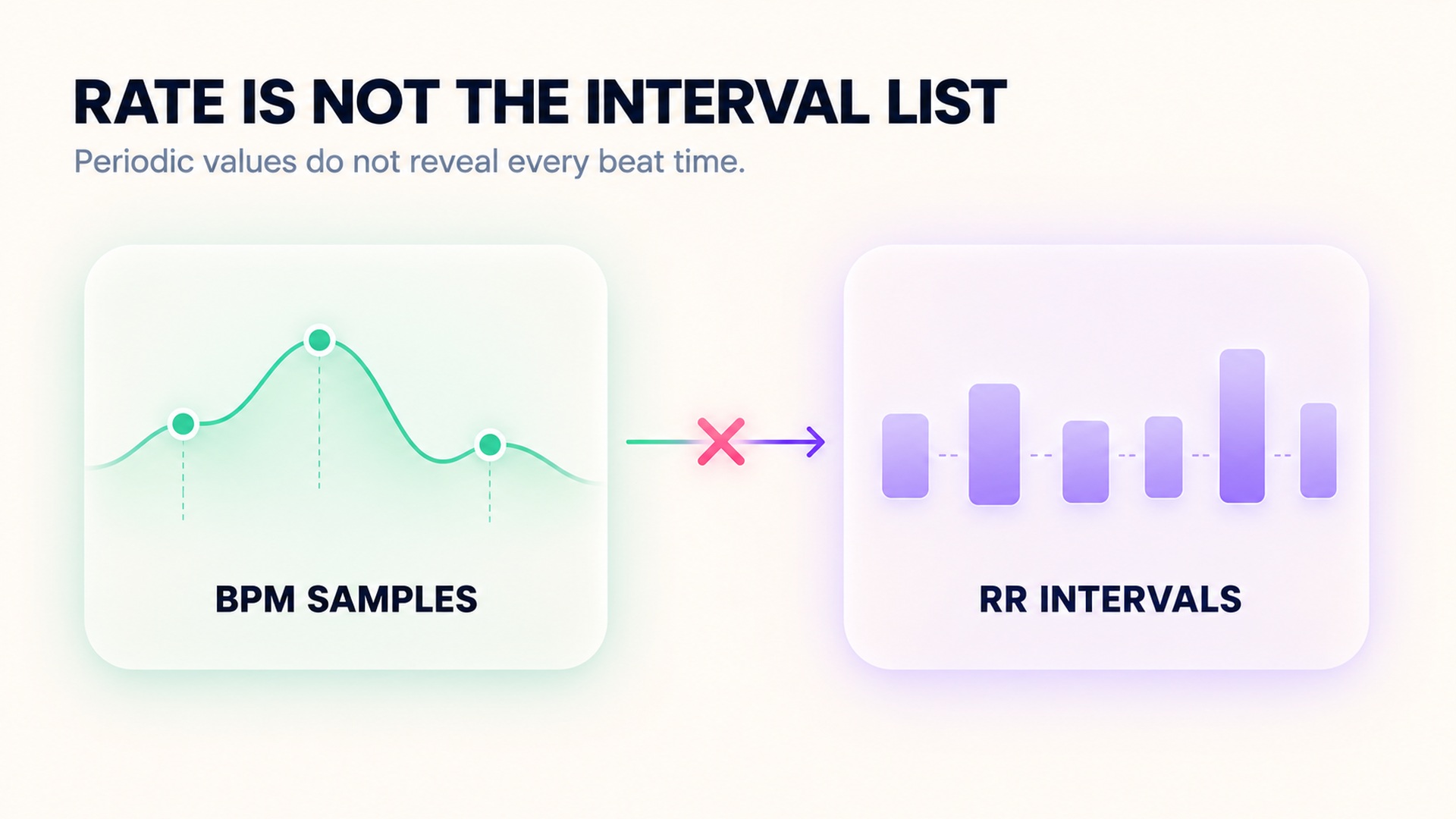
Heart rate is commonly summarized as beats per minute. It may be an average over a window, a sample assigned to a timestamp, or a measurement smoothed by the recording device. The displayed number is useful as a rate, but it does not state the exact time at which every beat occurred. Two people can have the same average rate over a short window while the spacing between beats differs.
An RR interval is the time from one detected R-wave peak on an electrocardiogram (ECG) to the next. When the analysis includes only intervals between normal beats, the series is often called NN intervals. These intervals retain a beat-by-beat timeline, such as 980 ms, then 1,020 ms, then 960 ms. That pattern is not present in a file that only says “61 beats per minute” at successive sample times.
The relationship between average rate and average interval is useful for intuition: a rate near 60 beats per minute corresponds to an average interval near one second. But converting each rate sample into a reciprocal interval does not reconstruct the original beat sequence. If the device averaged over several seconds, applied smoothing, rounded the display, or omitted samples, many different underlying sequences could produce the same exported values. The physiological basis of HRV measurements describes HRV as variation in beat-by-beat intervals, not merely change in an average rate.
What an export needs to say
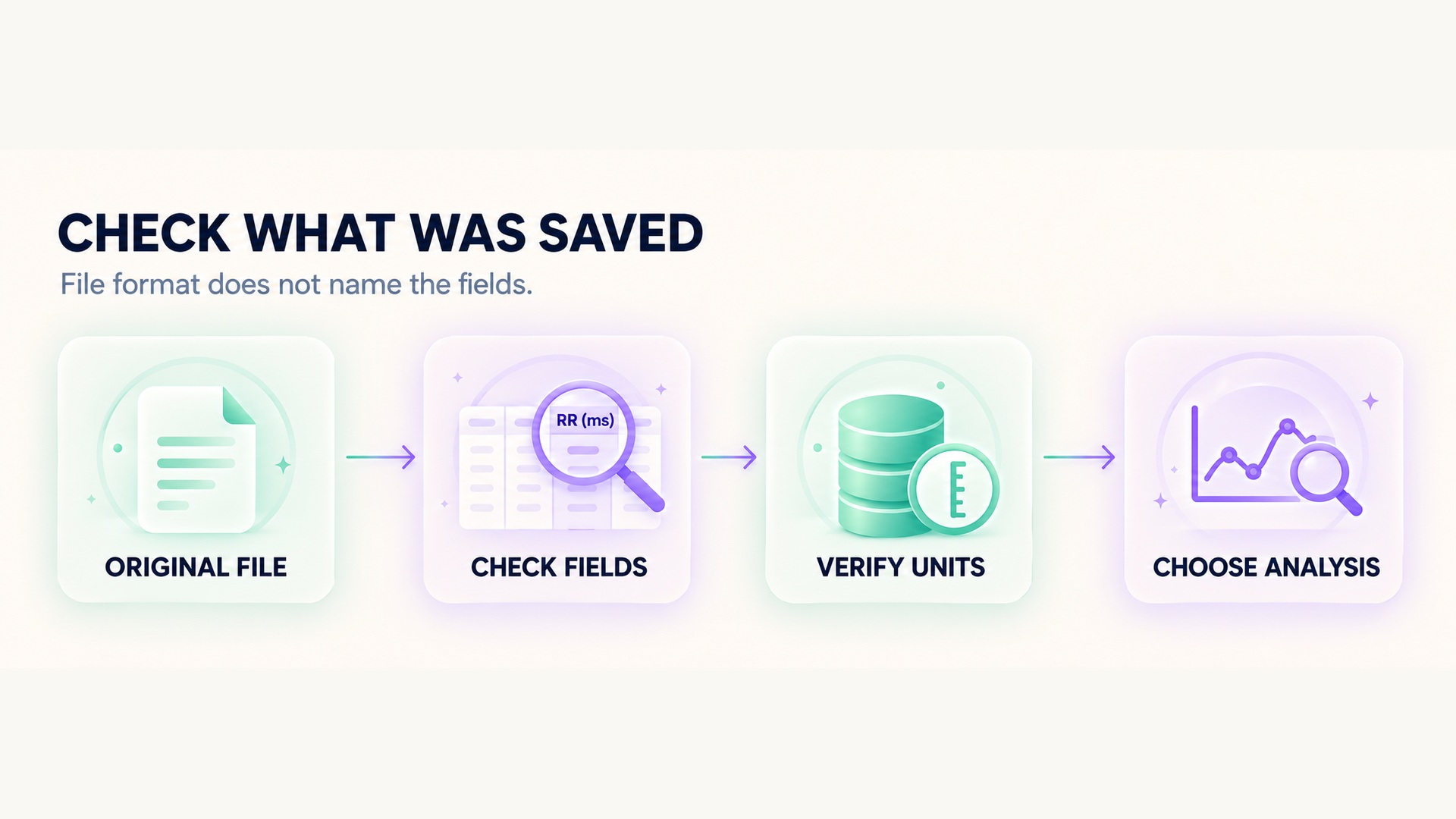
Look for field names that explicitly identify RR intervals, interbeat intervals, beat-to-beat intervals, or timestamps for individual beats. Check the units: interval data are commonly recorded in milliseconds, while heart-rate values are commonly recorded in beats per minute. Confirm whether the export includes one interval per detected beat or only periodic rate samples. A file extension such as CSV or FIT does not tell you which fields are included.
The recording source also matters. A sensor might detect pulse or electrical activity, while the app decides which data to retain and expose in its download. A device can be capable of measuring intervals even when a particular app export omits them. Conversely, an app may label a computed HRV result without providing the raw interval series used to calculate it. A technical sensor white paper about beat-interval measurement can clarify what a sensor may record, but it does not guarantee a particular app export. The export instructions for RR data illustrate that availability can depend on the recording source and the software path used for the session.
Read the export documentation for the exact device, app, firmware, and activity type. Look for examples of column names and units rather than relying on a product overview that says it measures heart rate. If the documentation says that RR intervals are available only for some recording routes, check which route generated your file. A recording stored in a sensor, a workout captured by a phone app, and a workout synced from a watch may not expose the same fields even when they show similar heart-rate charts.
Why periodic rate samples cannot restore every beat
Suppose an export records heart rate every few seconds. Each value compresses the beats that occurred over a period into a rate estimate. The timestamps tell you when the samples were recorded, not necessarily the timing of each beat between those timestamps. Interpolating a smooth line between rate values creates an estimate of rate over time, not a recovered RR series.
The loss is not fixed by taking the reciprocal of each beats-per-minute value. A displayed rate may be averaged across multiple beats, rounded to a whole number, or generated from a moving window. Even if it is labelled “instantaneous,” the device's detection and smoothing method still determines what that term means. Rounding can also erase small differences that matter to variability calculations. A derived interval series from periodic rate samples should not be represented as raw beat-to-beat data.
Technical reviews explain why the interval series has to be treated as its own time sequence. Research on RR interval editing and HRV analysis describes how the sequence is built from consecutive beat detections and how artifacts or sampling precision can affect downstream calculations. That is one reason a plotted heart-rate curve cannot stand in for an exported list of individual intervals.
Having intervals is necessary, not sufficient
An RR file does not automatically produce a trustworthy HRV result. The interval list may contain missed detections, extra detections, movement artifacts, signal gaps, or irregular beats. Analysis procedures often identify and handle artifacts before calculating metrics. The method, duration, posture, activity, breathing pattern, and recording conditions also affect what can be compared. Keep the raw data and document processing choices rather than treating a calculated number as a self-explanatory health result.
The metric matters too. SDNN is based on the standard deviation of normal-to-normal intervals over a stated recording window. RMSSD uses differences between adjacent intervals. They are different summaries of the interval sequence and depend on the segment and processing. HRV readings collected under different durations or conditions should not be compared as though only the person changed. A standardization checklist for HRV recording and analysis discusses the need to report recording length, data quality, and editing choices.
Even a technically valid RR series is not a diagnosis. Consumer devices and research systems can differ in sensors, signal processing, sampling, and access to raw data. A user-facing score may be a device-specific summary intended for trends, not a clinical interpretation. If the question concerns symptoms or a medical condition, use clinical guidance rather than trying to infer it from an app export.
A practical export check
Start with the original file and preserve an untouched copy. Open the documentation for the exact export path and identify the columns, units, timestamp behavior, sampling or beat-detection method, and any notes about filtering. If the file includes a heart-rate field but no interval field, treat it as heart-rate data only. Do not silently create RR values from the rate samples and label them measured intervals.
If the documentation says intervals should be present, inspect whether the file contains a separate row or column per interval, whether the units are milliseconds, and whether timestamps or beat order are preserved. Check for blank values and large gaps. Confirm whether intervals are raw detections, filtered intervals, or a transformed series. Those details determine whether a chosen analysis package can read the data and whether the resulting metric is interpretable.
When comparing exports from different apps, record the sensor, app, export route, workout type, date, and interval-field name. A single workout may be synchronized to several services, but that does not mean each service retained the same resolution. A guide to differences in HRV summaries across platforms explains why visible HRV outputs can differ even when they refer to the same broad concept. Keep the comparison focused on what each file actually contains.
If you need beat-to-beat intervals for a specific project, check in advance that the sensor and recording application support export of those intervals through the intended workflow. Run a short sample, export it, and inspect the file before collecting a long session. Confirm that the application has not replaced the beat series with periodic heart-rate values or a single summary metric. If raw intervals are unavailable, choose a different supported workflow or use the available rate data only for questions it can answer.
What to do when the field is missing
If an export contains only heart-rate samples, keep it as a heart-rate record. You may still review workout timing, broad rate changes, and the presence of gaps, within the limits of the sensor and sampling schedule. You cannot calculate a measured beat-to-beat HRV series from values that were never retained. Ask the app or sensor provider whether the exact recording mode supports an RR or interbeat export, and whether the data can be exported from a different route.
Avoid assuming that every app's “HRV” number came from a raw file you can download. A service may calculate and store a summary without exposing the underlying intervals, or may expose a series only through a specific record type. For example, the HealthKit HRV quantity documentation defines an SDNN sample as a quantity based on interbeat intervals; that summary field is not itself an RR export. Keep the stored metric and the raw signal conceptually separate.
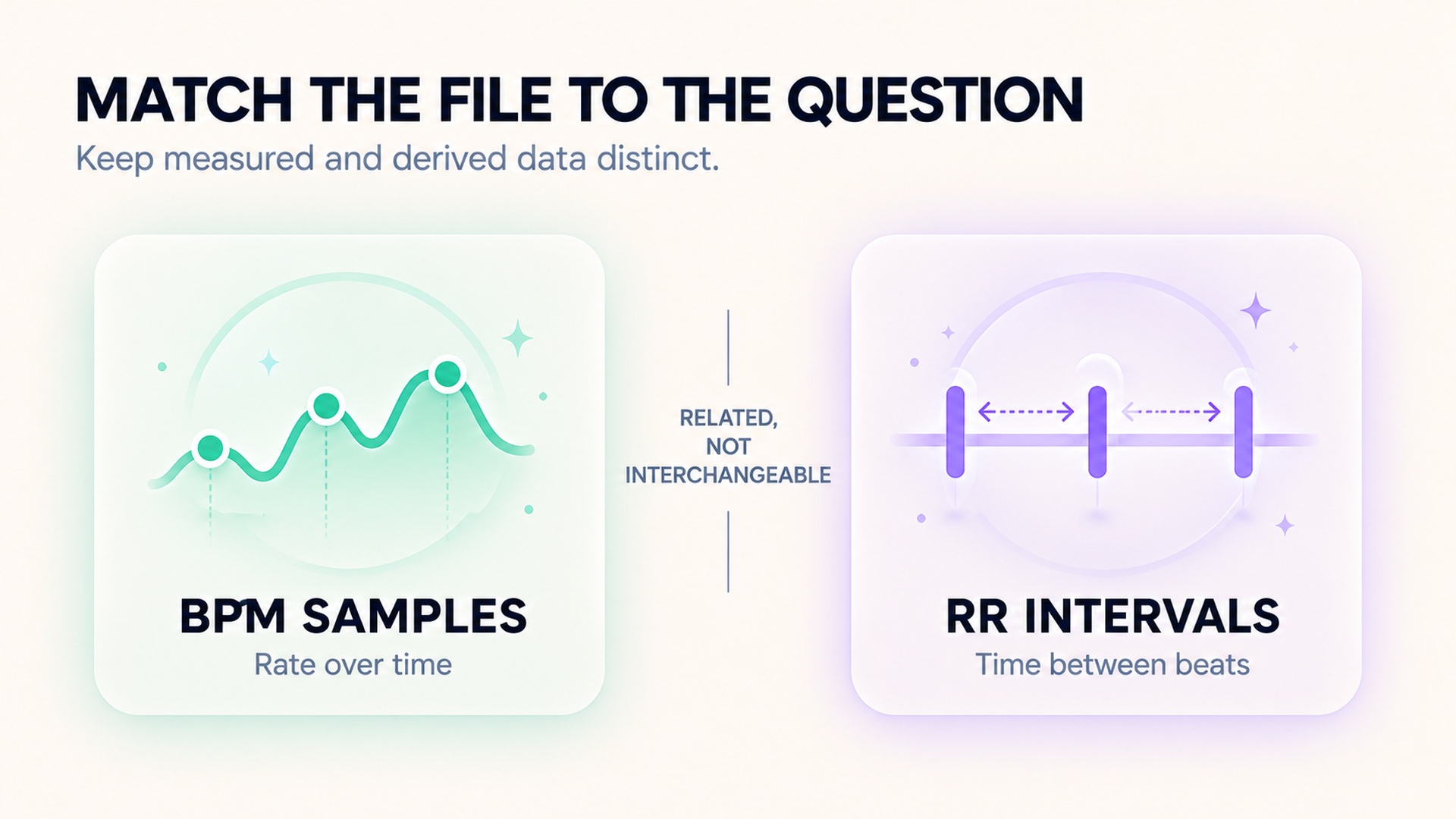
The simplest rule is to inspect the data rather than infer its resolution from the graph. Heart rate answers how fast the heart was beating according to the device's method. RR intervals preserve the durations between detected beats. They are related, but one cannot be substituted for the other without losing information.
FAQ
Can I calculate HRV from a heart-rate chart?
Not as a measured beat-to-beat HRV series if the chart contains only periodic or averaged beats-per-minute samples. You need interval data or an appropriate underlying beat-timing record from the original source.
Are RR intervals and NN intervals the same thing?
They are closely related terms. RR intervals refer to timing between detected R-wave peaks; NN intervals refer to intervals between normal beats after abnormal or artifact intervals are handled according to the analysis method.
Does an HRV number in an app mean raw intervals are exportable?
No. An app can calculate and store a summary value without offering the underlying interval sequence as a downloadable file. Check the export documentation for the exact recording path and fields.
*This article is for informational purposes only and is not a substitute for professional medical advice, diagnosis or treatment.*
Sources:
Journal of physiological anthropology·Polar·Frontiers in physiology·Brazilian journal of physical therapy·Apple Developer·Polar
Related articles

Checking pool length before trusting a swimming distance record
Pool distance depends on both the configured pool length and the number of lengths detected. Learn how to check those inputs before accepting a swimming distance record.

Why a longest workout record is different from a fastest distance record
A longest-workout record describes duration, while a fastest-distance record uses a defined distance and time. Learn how pause rules and segment boundaries affect each result.

Why a cycling power record needs its effort duration
A cycling power record needs its averaging window to show whether it reflects a brief peak or sustained effort. Learn how duration, sensor source, and workout context affect comparisons.

Keeping transitions visible in a multisport workout record
Transition periods are part of a multisport event’s full timing record. Learn how to keep T1 and T2 separate from sport splits and verify how each activity was timed.

How much confidence to place in wearable vertical oscillation
Vertical oscillation is a device-specific movement estimate, not a universal efficiency score. Learn how to compare readings with attention to speed, sensor placement, and validation limits.

Reading ground contact time without chasing the lowest number
Ground contact time is affected by pace, surface, fatigue, and sensor method. Learn how to compare similar segments without treating a lower reading as a universal goal.

Why running cadence and running speed need separate interpretation
Cadence describes step frequency, while speed describes distance over time. See how pace, sensor method, and conditions change what the two running metrics can tell you.

When a pace chart uses moving time instead of elapsed time
Moving pace and elapsed pace use different time windows, so the same route can produce different averages. Learn what to check before comparing a pace trend.

What elevation gain adds to a running distance trend
Elevation gain adds terrain context to a running distance trend, but it is not a complete measure of effort. Learn how device methods and route profiles affect comparisons.

Reading distance splits and planned intervals as different workout views
Distance splits divide recorded runs, while intervals preserve planned work and recovery. Learn which view answers a pacing question and how to compare both without mixing their boundaries.