Virtual cycling distance follows the simulation's rules
By Mr.Apps · Nov 3, 2026
Category:Training
Distance in a virtual ride follows the simulation
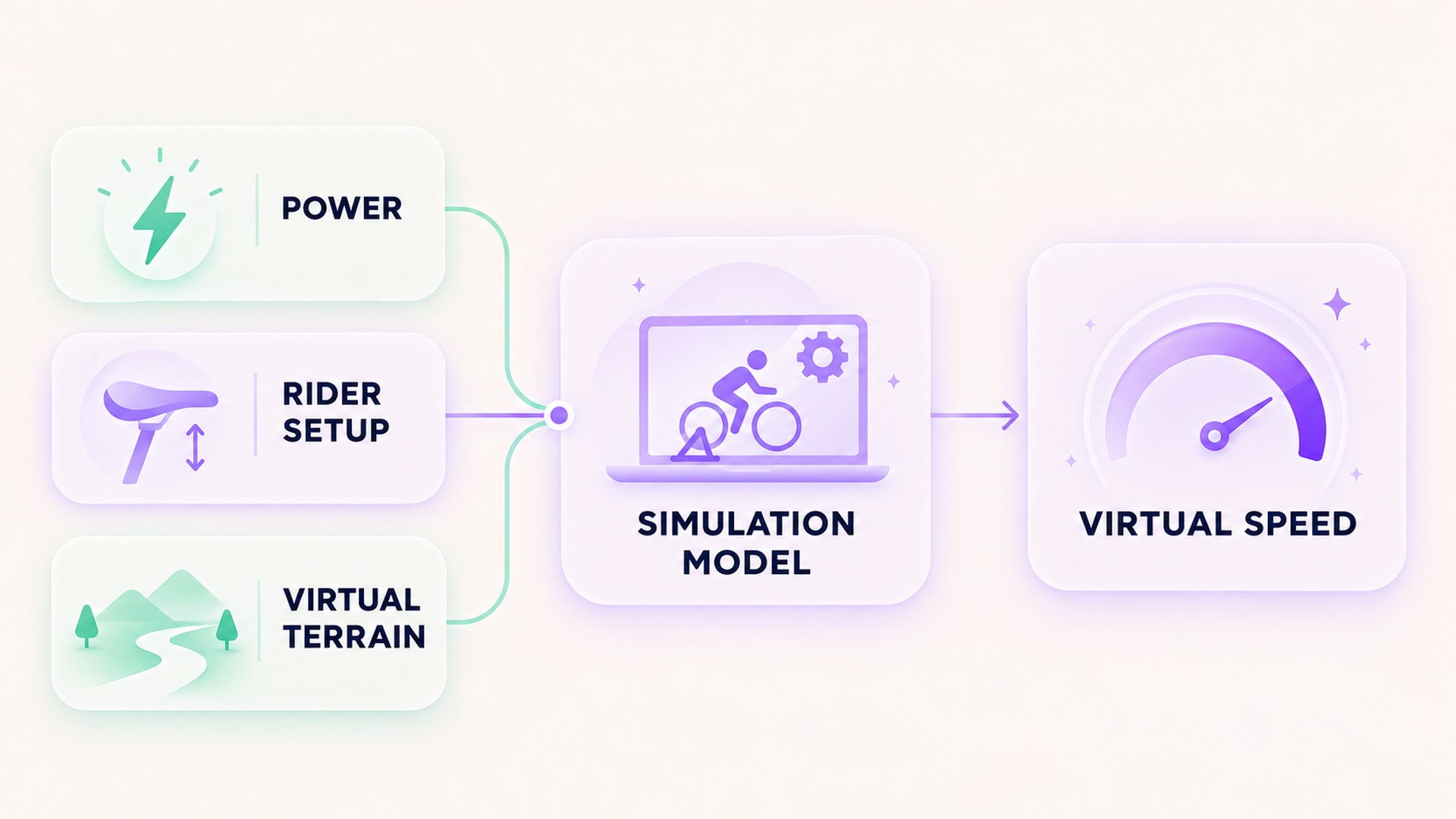
Distance in a virtual cycling ride is calculated within the platform's model. It is not automatically the same as the distance a wheel would have traveled on a road. A smart trainer or power meter can send watts to an app, and the app can use those watts along with rider inputs and the virtual route to estimate speed. The resulting distance describes movement through that simulated environment.
I preserve the platform and activity mode beside the distance so the number keeps its source context.
This is why two indoor devices can report different distances for the same session. One may count wheel revolutions and apply a tire circumference. Another may calculate virtual speed from power and route conditions. The platform's explanation of workout mode and speed says that in-game speed remains tied to power even when ERG mode changes trainer resistance to match an interval target. That is a platform-specific rule, not a universal model for every cycling app.
Wheel distance and virtual distance are different fields
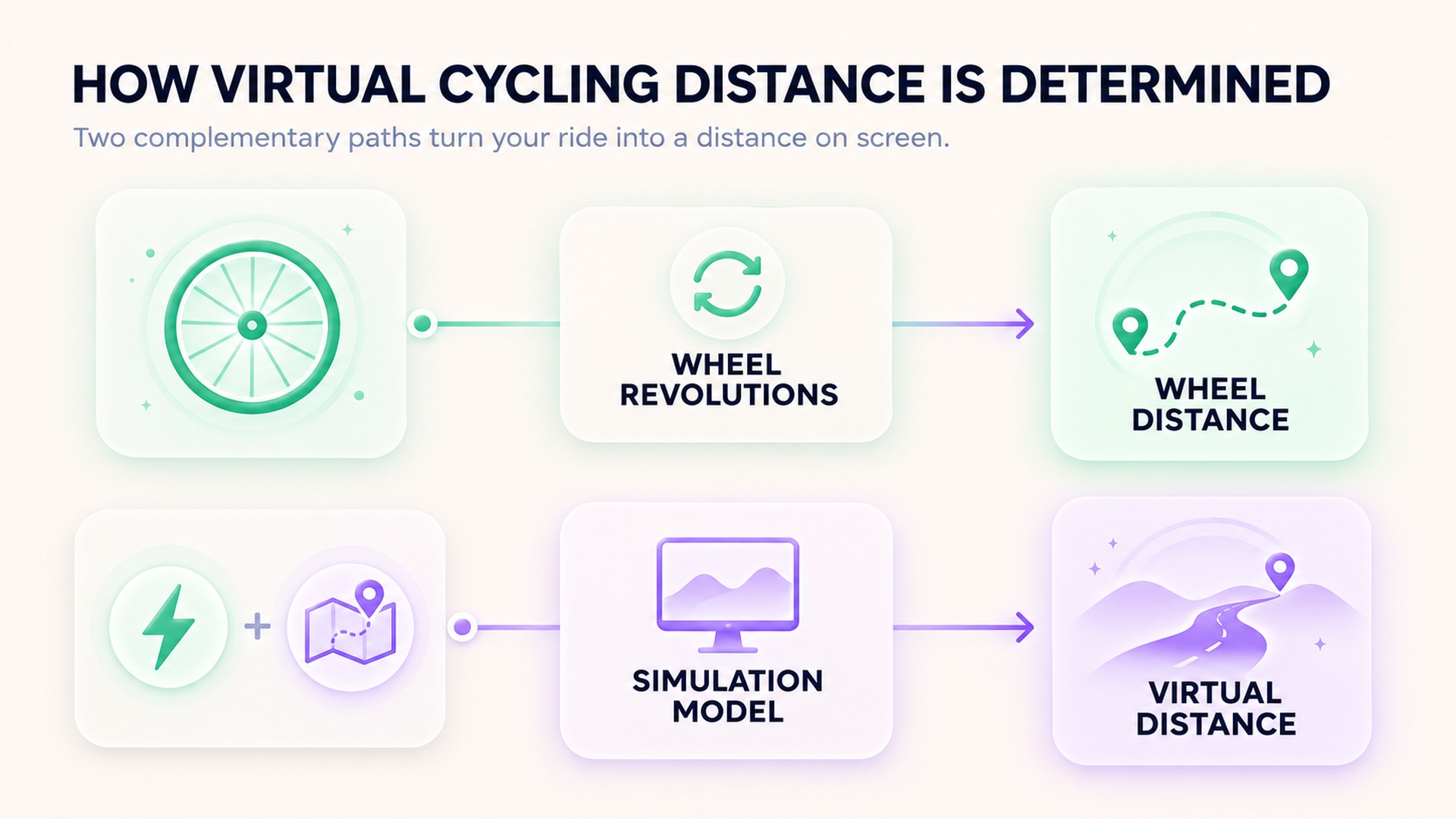
A wheel-speed sensor can estimate how far a wheel rotates by counting revolutions and applying a circumference setting. On a stationary trainer, that describes the wheel's movement under the sensor's assumptions. It does not reveal how far a cyclist would travel outdoors at the same effort, because the indoor wheel is not rolling across a road with changing gradient, wind, surface, traffic, or coasting.
A simulation can start with power instead. Its algorithm estimates speed in the virtual world from the supplied power and assumptions about the rider, bike, and course. A help article on virtual speed from a trainer describes this as an app-calculated speed and notes that trainer models can produce differences. A trainer maker's explanation of in-game speed similarly describes using power data together with entered rider weight in that application. With a basic wheel-on trainer, the app may first estimate power from wheel speed and a selected trainer profile. Keep that inferred value distinct from a power meter's direct sensor output. These sources apply to the systems they document.
The virtual distance is usually the accumulation of that simulated speed along a route. A route with climbs, descents, bends, surfaces, or other modeled features can produce a different virtual speed than a flat route at the same power. Some applications can also use a wheel sensor to estimate power for compatible basic trainers. The input source does not change the fact that the platform is generating an in-game movement value from its own model.
ERG mode controls resistance, not the virtual route
During a structured workout, ERG mode can ask a compatible trainer to adjust resistance to maintain a target power as cadence changes. The terrain shown by the app may not drive resistance in the same way it does during a free ride. Yet virtual speed may still be computed from the power stream and the selected route. The setting that controls how the legs feel and the algorithm that calculates virtual movement are related parts of the indoor setup, but they are not necessarily the same calculation.
This explains why the distance shown during a workout can differ from an indoor bike's display or a bicycle computer's wheel-based estimate. A workout interval can hold power steady while route grade changes, depending on the platform's rules. A trainer's resistance simulation can also be adjusted without changing the virtual route. The platform's feature FAQ on speed calculation describes speed as depending on multiple factors, including watts. Keep the source field visible when an activity is exported to another app.
Keep the data source with the distance
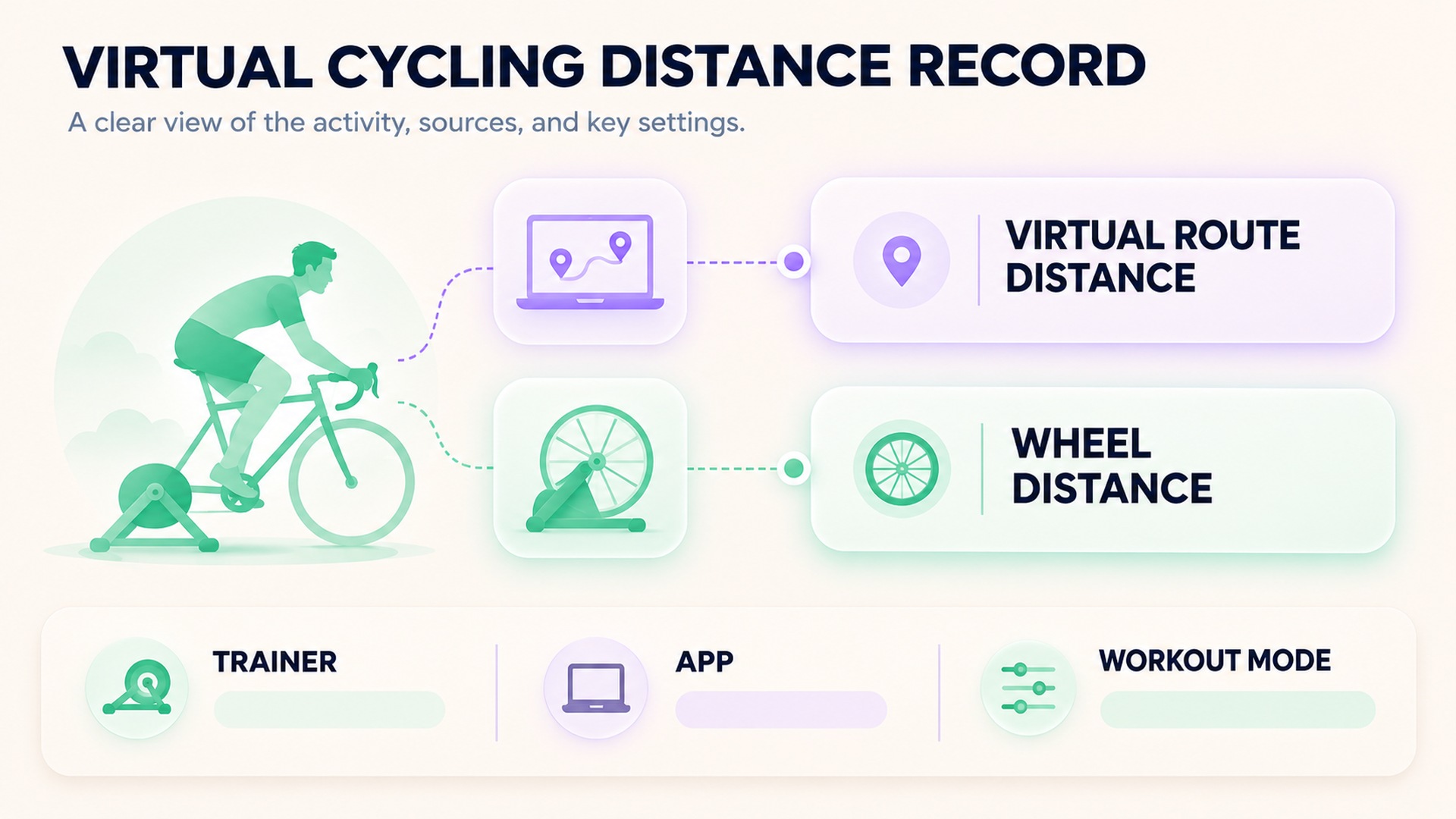
Record the app or device that generated the distance, the activity type, the trainer or power source, and whether the session followed a virtual route or a structured workout. If the equipment also reported wheel distance, keep it in a separate field. A value labeled only “distance” can become ambiguous after synchronization, especially when a bike computer and virtual platform both contribute data.
Do not combine a virtual distance with an outdoor mileage total without preserving its origin. If a training log aggregates both, label the source or keep indoor and outdoor totals in separate categories. This lets a coach or future reader understand which values represent simulated route progress and which came from a wheel or GPS measurement.
Some route-based experiences use real-world geographic coordinates or footage while still classifying the workout as virtual. A video-route support page explains how a particular mode can follow terrain and location while its activity file remains a virtual ride. That distinction is useful: an activity can resemble a real route without being an outdoor wheel-distance measurement.
The treatment of uploaded rides can also differ from in-game activity distance. A connected-activity FAQ explains which outdoor metrics count toward specific platform statistics. A challenge or profile may use only certain activity sources. Those rules concern that platform's records and progress, not a universal definition of distance.
Compare virtual rides under a stable setup
Within the same virtual environment, comparisons are easier to interpret when the trainer, power source, entered rider information, bike choice, route, and recording mode remain stable. A change to any of those inputs can change the modeled result even if perceived effort is similar. Keep the equipment and app version in the activity note when a difference matters.
A virtual route may include features that an outdoor route would not reproduce exactly. An algorithm can simplify air resistance, rolling resistance, gradient, drafting, road surface, or descents. The point is not to judge a simulated distance as a mistake. It is to understand that the reported number belongs to the platform's defined environment and assumptions.
If the same power produces a different virtual speed after an update, verify the device connection and profile inputs before interpreting the difference. Make sure the power source is the one you expect and that the trainer has not been paired in a different mode. If the platform uses a wheel-on trainer's power curve, confirm that the selected trainer model is correct. Do not change a historical distance to make it match a bike computer unless the activity source or entry was actually wrong.
The power value itself can also vary by source. Pedals, crank meters, and trainers measure at different points. A related guide to indoor cycling readings and wearable context discusses why indoor activity records need their source context. Keep the power source and virtual distance source together when comparing sessions.
What the distance can tell you
Virtual distance can document progress through a course, support a route challenge, or provide a consistent in-game measure under the same setup. It can be useful for comparing virtual rides when the platform, inputs, and route are similar. It should not be treated as a direct substitute for outdoor road mileage or as proof that the same time and effort would cover the same real-world distance.
For training, the distance can sit beside elapsed time, power, cadence, and the route profile. Those fields answer different questions. If a workout goal is expressed in watts or minutes, preserve those values rather than translating them into miles to make the activity look like an outdoor ride. If a coach gives an outdoor distance target, confirm whether a virtual route is intended to count toward it.
The activity file should preserve the original distance and its source. If a data export renames fields, add a note that distinguishes virtual route distance from wheel or GPS distance. Keep the raw file if the platform provides one. This protects the meaning of the original record and makes later comparisons less dependent on memory.
A practical indoor cycling entry
An indoor ride record can include date, elapsed time, activity mode, route or workout, trainer and power source, entered rider settings when relevant, virtual distance, and any separate wheel-based distance. You do not need to store every configuration detail for every casual session. Preserve the inputs that changed or that affect the comparison you intend to make.
If the only available summary says “distance,” check which application produced it before adding it to a total. If a file was synchronized through several services, the displayed label may conceal where the value originated. Retain the original source and avoid adding the same ride twice under different distance fields.
Virtual cycling distance is a modeled route value. It reflects what the selected platform calculates from its inputs and rules. When the device, route, or mode changes, record that change and interpret the number within its own context.
Frequently asked questions
Does virtual cycling distance equal outdoor distance?
Not necessarily. The virtual platform calculates movement from its inputs and simulation rules, while outdoor distance may come from wheel circumference, GPS, or another source. Keep the source label with the value.
Why can my bike computer and virtual app show different distances?
They may use different calculations. A computer may count wheel rotations, while a virtual app may derive speed from power and simulated route conditions. Record each value separately.
Does ERG mode stop the virtual route from moving?
No. In some platforms, ERG mode changes trainer resistance to hold a workout target while virtual speed continues to be calculated from the power signal. Check the specific app's documentation.
*This article is for informational purposes only and is not a substitute for professional medical advice, diagnosis or treatment.*
Sources:
Zwift Support·Garmin Support·Stages Cycling Support·Zwift Support·Zwift Support·Zwift Support
Related articles
Single-sided cycling power relies on a symmetry assumption
A single-sided power meter measures one leg and may double that value to estimate total cycling power. Preserve which side and device produced the number so an estimate is not mistaken for a bilateral measurement.
Power meter zero offset needs its own setup record
A power meter zero offset records the sensor's unloaded baseline at a particular time. Keep the meter identity, procedure, conditions, and returned status separate from training targets and workout power values.
Handrail support changes the context of a treadmill session
Treadmill handrail use can change the movement task even when speed and incline stay constant. Record whether support was light, intermittent, or sustained so session comparisons do not assume the machine measured details it missed.
Treadmill incline percentages are not angles in degrees
Treadmill grade percentages and angles in degrees describe the same slope through different relationships. Preserve the machine's displayed unit and source so a workout setting is not mistaken for a measured angle.