A rowing damper number does not identify the drag factor
By Mr.Apps · Nov 3, 2026
Category:Training
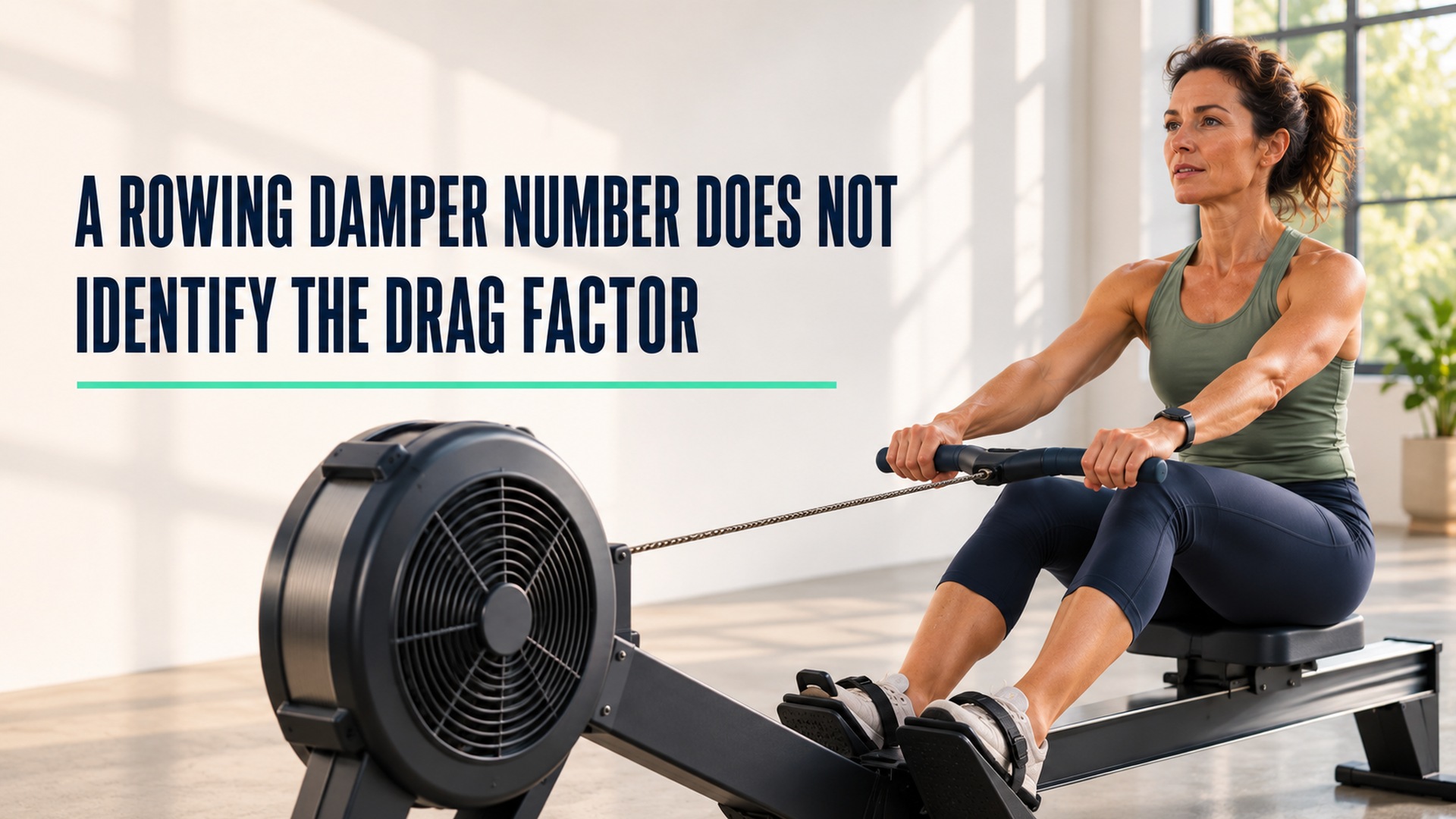
Damper setting and drag factor describe different things
A rowing damper number is not the same as the drag factor reported by a rowing monitor. The damper is a mechanical control that changes how much air enters the flywheel housing on an air-resistance ergometer. Drag factor is a value calculated from how the flywheel slows between strokes. The two are related because moving the damper affects the airflow and the flywheel's behavior, but the displayed damper number does not identify drag factor by itself.
I record the lever setting and the measured drag value separately.
The manufacturer's description of damper setting and drag factor explains that the lever changes airflow while effort is determined by how the athlete drives the handle. The article applies to that manufacturer's air-resistance equipment. Other rowing machines can use different resistance systems or displays, so keep the equipment model with any comparison.
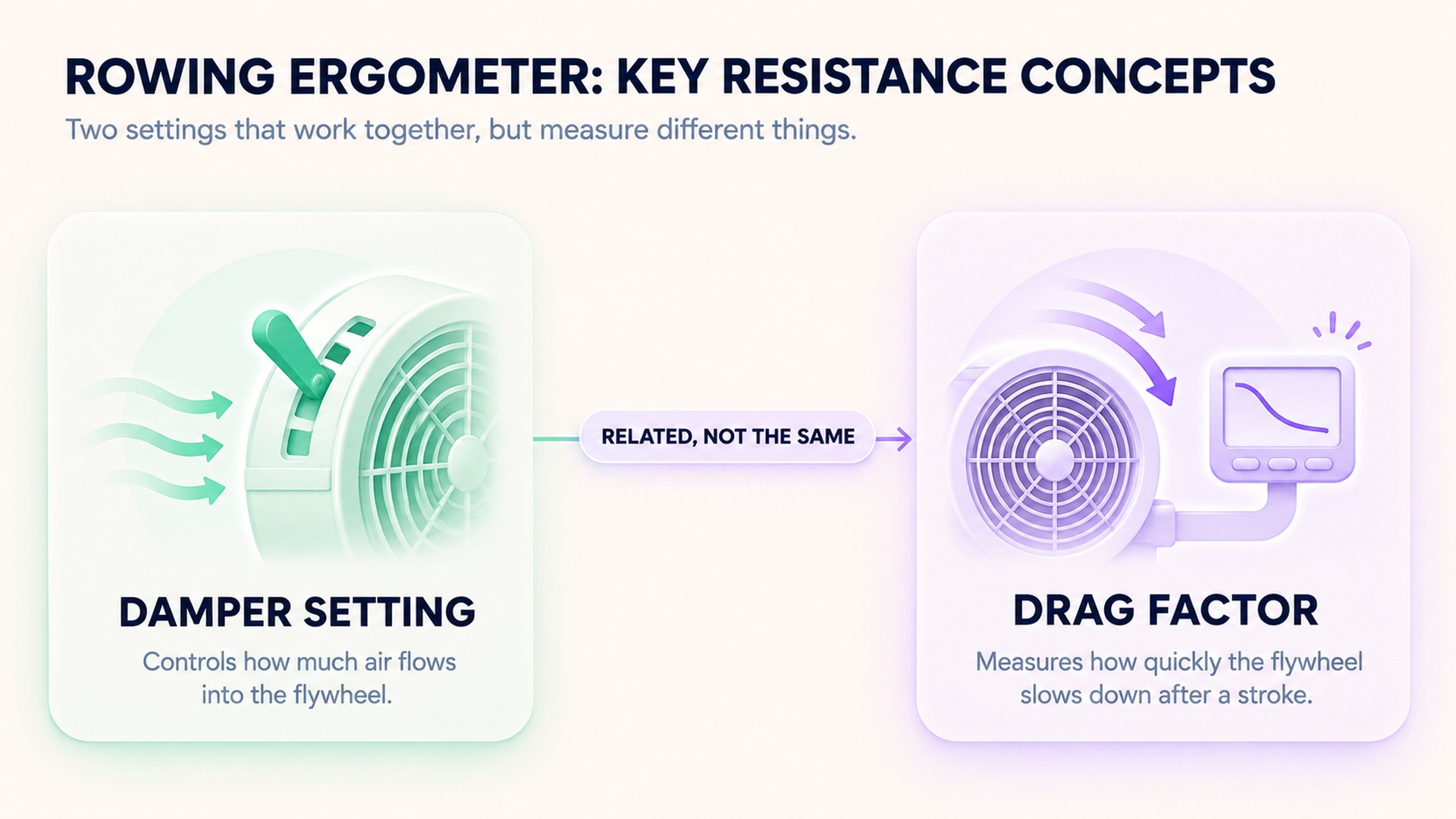
What the damper changes
On an air-resistance machine, a higher damper position allows more air into the flywheel housing as it spins. The flywheel slows more between strokes, and the next drive must accelerate it again. A lower position allows less air exchange. The control changes how the stroke feels, but it is not a direct scale from easy to hard and does not determine the athlete's power output on its own.
The force applied through the legs, trunk, and arms moves the handle and accelerates the flywheel. A person can pull harder at a lower damper setting or more lightly at a higher setting. The numeric control therefore describes the configuration of the air inlet. It does not report the amount of work performed in a stroke or the intensity of the full workout.
This distinction matters because it is tempting to assume that a larger number means a better session, a larger load, or a more powerful row. It does not establish any of those things. A high setting may feel heavier during the drive because the flywheel decelerates more between strokes. The same number may feel different on another machine. Technique, stroke rate, acceleration, and the machine's condition all influence the work and feel.
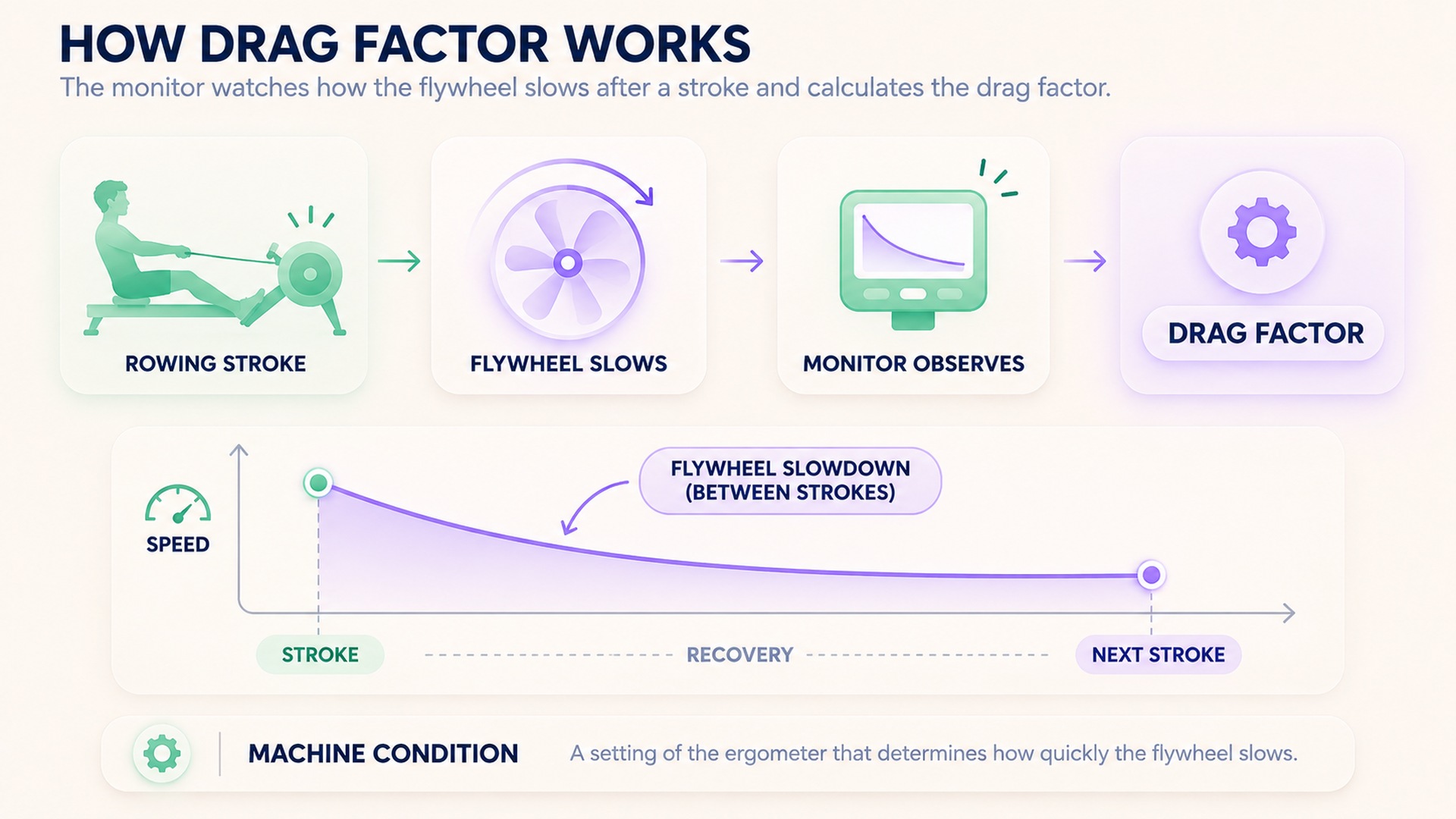
How a monitor derives drag factor
On supported air-resistance ergometers, the performance monitor observes the flywheel's rate of deceleration between strokes. It uses that behavior to estimate a drag factor that represents the fan load under the current conditions. A monitor guide on viewing drag factor describes the PM5 display process and explains that the monitor recalculates the measure for its air-resistance equipment.
Drag factor is more useful than the damper number when comparing similar machines because it reflects the flywheel response rather than the lever position alone. Dust in the flywheel housing, air density, elevation, temperature, or maintenance can affect the relationship between a particular lever position and the drag factor. As a result, two machines set to the same damper number can produce different drag values.
Drag factor does not measure the athlete's complete physiology or convert a workout into a universal intensity score. It describes a machine condition used in its calculation of flywheel work. The monitor can report a drag value for a particular ergometer; it cannot tell whether the athlete found the session easy, difficult, or appropriate for a goal.
The monitor's measurement is also tied to the flywheel's behavior between strokes. It does not directly measure how much force a rower applies to the handle, how the stroke is sequenced, or how long the session lasts. Those workout details should remain in the activity record. Treating the drag factor as a proxy for the athlete's total effort would combine two distinct sources of information and make the log harder to interpret.
Keep the machine model with the number
Different brands and types of indoor rowers may use magnetic resistance, water, air, or another mechanism. Their controls do not necessarily map to the same physics. The word “damper” is most meaningful when the machine uses an adjustable air inlet at a flywheel. A setting on a water rower or magnetic rower should not be assumed to equal the same number on an air-resistance ergometer.
Even among air-resistance machines, maintenance and the surrounding air can change the reading. A manufacturer article about damper choices explains why drag factor provides a better comparison across machines with different airflow conditions. The equipment maker's recommendation applies to its own product and monitor. Preserve the stated model instead of applying the number to all rowers.
The training log can include the damper number, drag factor if available, machine model or location, workout date, stroke rate, and session duration. These fields answer different questions. If the monitor did not show a drag factor, write “not recorded” rather than inferring one from the lever. If the machine type is unknown, keep the display as entered and avoid labeling it as a measured drag value.
Compare like machine conditions
If the same person compares sessions on one machine, keeping the damper position and monitor settings stable can make the records easier to interpret. It still does not guarantee identical effort because pace, stroke rate, fatigue, technique, and duration can differ. The machine value belongs beside the workout details; it is not a substitute for them.
When moving between machines, record the drag factor from each machine where the monitor supports it. A damper setting of four on one ergometer may not produce the same drag as four on another. If the facility has multiple rowers, identify the machine or seat location if practical. A later reader can then see whether a difference may reflect setup rather than a change in performance.
Competition rules may also specify how settings are handled. The indoor rowing race guidance on drag factor describes how participants can view this value on supported monitors. Follow the event's current instructions and avoid changing a setting during a test if the protocol prohibits it. A workout diary and a formal event are different contexts, but both benefit from clearly identifying the machine condition.
Do not infer effort from the damper number
A high lever position is not automatically a harder cardiovascular workout. The body responds to the actual stroke and accumulated work, not simply the printed position. The research article on pacing in simulated rowing describes how damper settings and drag factors are considered in rowing-ergometer protocols. That study's setup and participant group do not set a universal prescription for recreational rowing.
Research reviews also show that rowing-ergometer methods can vary in how they report setup. A review of physical performance testing on rowing ergometers found that many included studies did not report a drag-factor setting. That affects how precisely readers can compare protocols. It is a reason to record the available setup information, not to copy a setting from a paper without considering the equipment and purpose.
Do not treat a damper or drag value as a target that every athlete should reach. A coach, clinician, or event protocol may specify machine setup for a particular test. Otherwise, use manufacturer guidance and a method appropriate to the person's training plan. Avoid increasing the setting simply because a higher value appears more demanding. The display describes machine behavior, not a universal scale of fitness.
Read performance data alongside setup
The monitor's distance, pace, time, and power outputs depend on the machine and how the workout is recorded. Keep the damper and drag information attached to the corresponding session rather than storing it as a permanent athlete characteristic. If a flywheel is cleaned, serviced, or moved to another elevation, note the change because airflow conditions may shift.
If a summary shows only “damper 6,” do not translate it into a drag factor or compare it with a value from another machine. If the monitor displays drag factor, save that number with the display source and machine. The monitor instructions for the drag-factor display describe where to find the value on supported equipment. Use the instructions for the monitor model you have rather than assuming that every display uses the same menu or calculation.
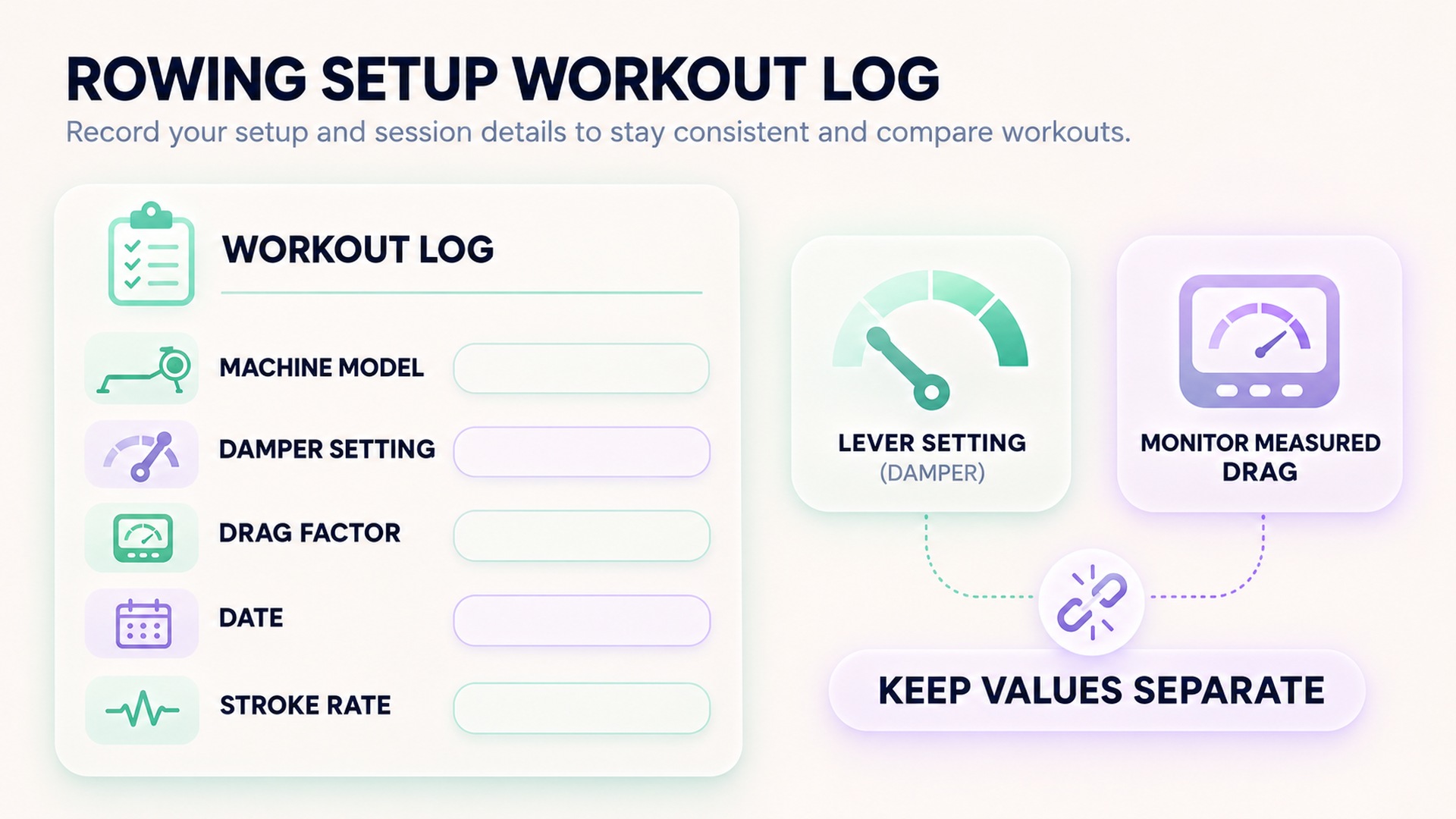
A useful record can say “air-resistance rower, damper 4, drag factor shown as [recorded value], PM model, 24 strokes per minute, 20 minutes.” The value in brackets should come from the actual display, not be filled from a generic chart. If the session was on a different kind of ergometer, name its control exactly as shown. This preserves the distinction between a setting and a measurement.
Frequently asked questions
Is a damper setting the same as resistance?
No. On an air-resistance ergometer, the damper changes airflow through the flywheel housing. The athlete's stroke drives the flywheel; the damper number alone does not report the work completed.
Can I compare the same damper number across two rowers?
Not reliably. Machine condition and air density can change the drag associated with a setting. Record each machine and use its supported drag-factor display when comparing equipment.
Does a higher damper number mean a better workout?
No. It changes how the air-resistance machine feels, but the number alone does not measure effort, fitness, or workout quality. Follow the equipment instructions and the goal of the session.
*This article is for informational purposes only and is not a substitute for professional medical advice, diagnosis or treatment.*
Sources:
Concept2·Concept2·Concept2·Concept2·Journal of Sports Sciences·Journal of Functional Morphology and Kinesiology
Related articles

Running pace and running speed use reciprocal units
Running pace measures time per distance, while speed measures distance per time. Keep the original unit and time basis visible when converting one display into the other.
Virtual cycling distance follows the simulation's rules
A virtual cycling app calculates speed and distance from its own inputs and route model. Keep that simulated value separate from wheel-based or outdoor distance when comparing activity records.
Single-sided cycling power relies on a symmetry assumption
A single-sided power meter measures one leg and may double that value to estimate total cycling power. Preserve which side and device produced the number so an estimate is not mistaken for a bilateral measurement.
Power meter zero offset needs its own setup record
A power meter zero offset records the sensor's unloaded baseline at a particular time. Keep the meter identity, procedure, conditions, and returned status separate from training targets and workout power values.
Handrail support changes the context of a treadmill session
Treadmill handrail use can change the movement task even when speed and incline stay constant. Record whether support was light, intermittent, or sustained so session comparisons do not assume the machine measured details it missed.
Treadmill incline percentages are not angles in degrees
Treadmill grade percentages and angles in degrees describe the same slope through different relationships. Preserve the machine's displayed unit and source so a workout setting is not mistaken for a measured angle.