Why a floor counter can change when air pressure changes
By Mr.Apps · Oct 21, 2026
Category:Wearable
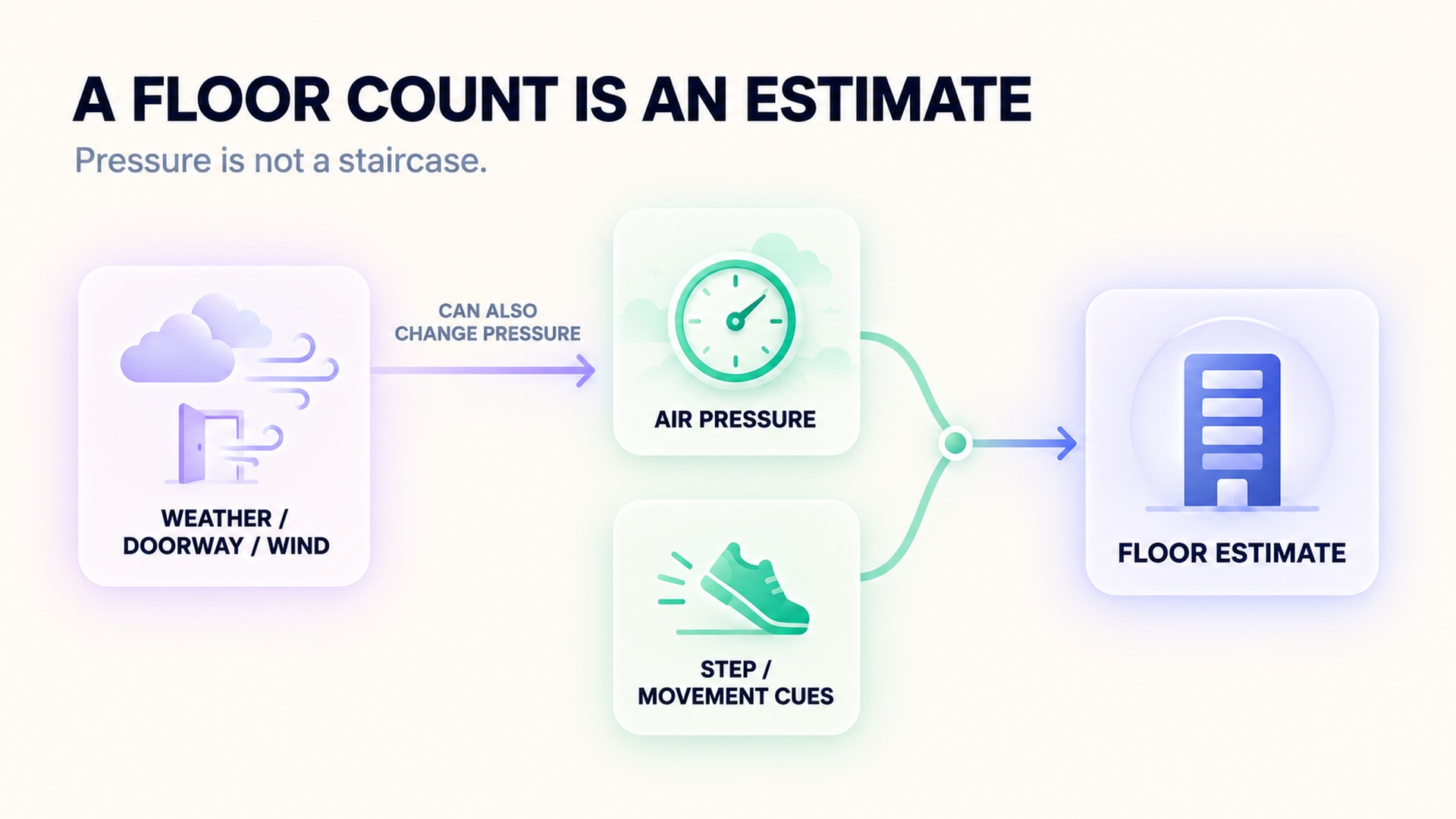
A wearable floor counter estimates vertical movement from changes in air pressure, often combined with step or movement data. It does not directly observe each stair or confirm that a person climbed a full floor. Because the same pressure sensor can respond to weather, airflow, and changes between indoor and outdoor spaces, the displayed count can shift even when the route did not.
This matters when the number of floors seems to jump after entering a building, walking near a doorway, or checking a watch during a weather change. A floor count is a sensor-derived estimate that depends on the device's hardware and its rules for recognizing a climb. Treat it as an activity summary, then check the route and conditions before using it as a literal count of stairs.
How a barometric floor estimate works
A barometer measures surrounding air pressure. At higher elevation, air pressure is usually lower, so a barometric altimeter can use pressure changes to estimate relative height. A floor-counting algorithm may combine that estimate with movement cues, such as steps or arm motion, to decide whether a pressure change likely came from climbing stairs.
The combination helps distinguish a person who is walking upward from a sensor that simply detects a pressure shift. It still cannot make the measurement a direct record of each stair. The description of a watch floor-count feature explains that a particular system uses both a barometric altimeter and an accelerometer, and that environmental pressure changes may affect its credit. Different products can use different thresholds and rules.
Pressure can change without a floor change
Weather systems alter atmospheric pressure over time. Moving from outdoors into an air-conditioned or heated building can also create a local pressure difference. Wind around a device, opening a door, or blocking a sensor port can change the pressure the device detects. A watch may interpret some of those changes as an elevation change, especially if its movement signal also resembles steps.
The review of barometric sensors for human activity tracking describes how local weather, temperature, airflow, built environments, sensor accuracy, and calibration can affect pressure data. These factors matter because wearable algorithms infer activity from pressure patterns rather than observing a staircase directly. The review covers different barometer-based tracking systems, so its discussion is broader than a specific consumer floor counter.
A barometer senses pressure at the device; it does not know whether that pressure change came from a change in elevation or a change in the surrounding air. A barometric altimeter uses a reference and a model to interpret relative pressure as height. When weather pressure shifts while a person stays at the same elevation, the sensor still measures a pressure change. Device algorithms try to distinguish patterns that look like vertical movement by using other cues, but their rules and thresholds differ.
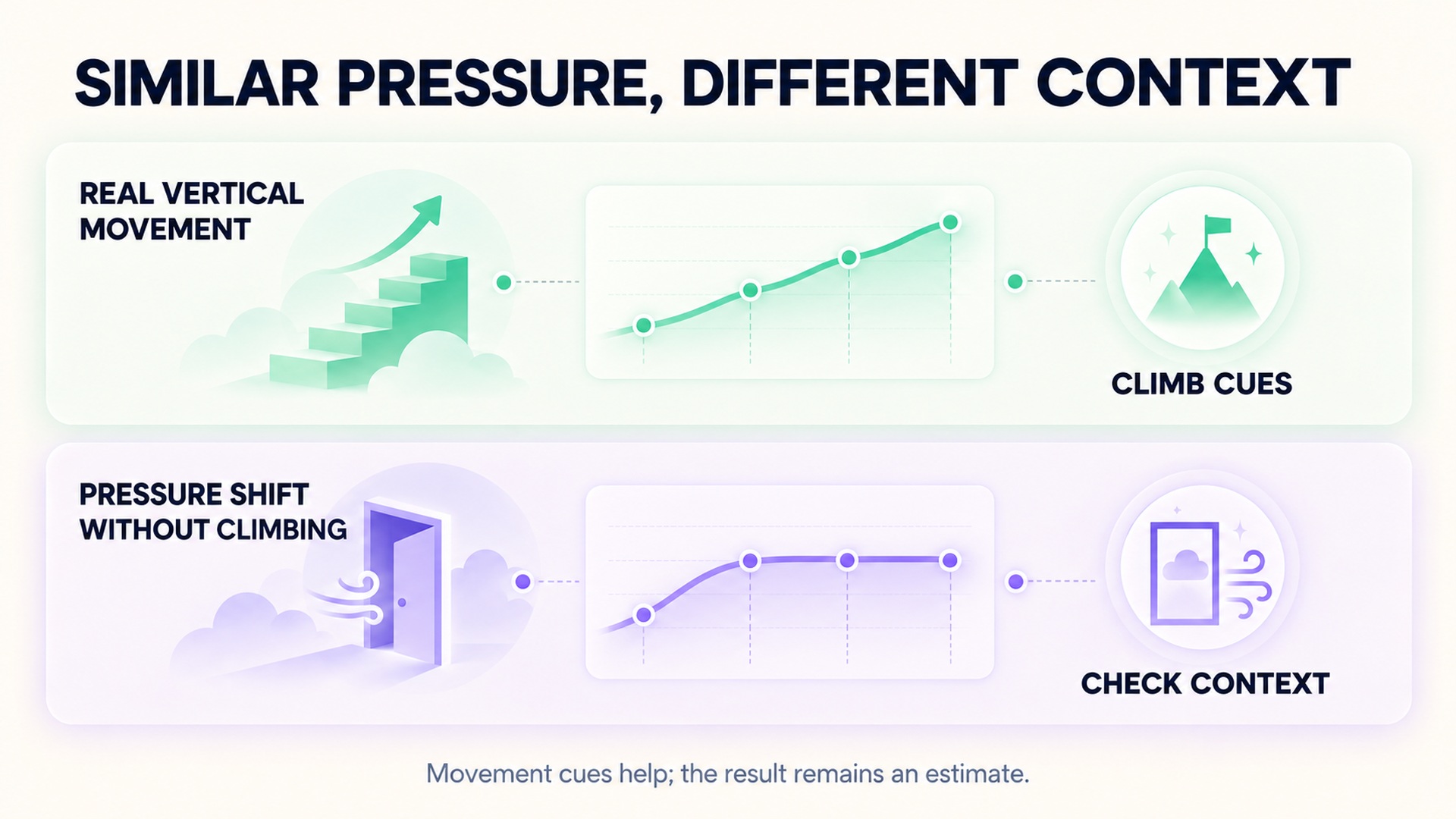
The weather service overview of atmospheric pressure explains that pressure patterns are connected to weather and wind. Indoors, heating or cooling, open doors, and airflow can make the local environment differ from an outdoor reference. A device passing between a cold exterior and a warm building may experience a combination of pressure and temperature changes at once. This is why a high floor total after an entrance or weather shift cannot be interpreted as an exact record of stairs without checking the route and sensor context.
Pressure reference also matters over longer periods. If the device estimates altitude from changing ambient pressure without an updated reference, gradual weather shifts may look different from a brief stair climb. The sensor's resolution, calibration, and software filtering determine how much of that movement appears in a summary. A floor count is therefore the output of a particular classification process applied to pressure and movement, not a direct unit read from the environment.
Manufacturer support pages provide examples of how this can appear in a consumer device. A floor counter may add credit when the user walks between a cold outdoor area and a warm interior or passes through a pressure-changing doorway. The troubleshooting guidance for floor-count accuracy also notes that wind, weather, opening a door, or an atypically tall staircase can affect its floor estimate. These are device-specific examples, not a guarantee that every watch uses the same logic.
Why the number may rise or fall
An unexpectedly high count can reflect an external pressure change, sensor opening obstruction, movement that resembles stair climbing, or an algorithm assigning a floor to a pressure rise. An unexpectedly low count can occur if a pressure change is too small or interrupted, if a movement cue is missing, or if the device does not recognize a route as a qualifying climb. Holding a handrail, pushing a stroller, carrying objects, or wearing the watch loosely can also change movement signals for some devices.
A floor count can be especially hard to interpret when the barometer is used for more than one feature. The same sensor may estimate outdoor elevation during a route and also contribute to an indoor floor counter. A change in reported elevation or pressure does not tell you by itself whether the device counted a stair flight, updated an altitude estimate, or responded to the environment.
The calibration instructions for a barometric altimeter illustrate that calibration method and sensor cleanliness are model-specific. A calibration action may improve an elevation estimate when the manufacturer supports it, but it cannot eliminate every weather or indoor pressure effect. Follow the device instructions rather than changing settings based on one strange daily total.
Use a short, repeatable check
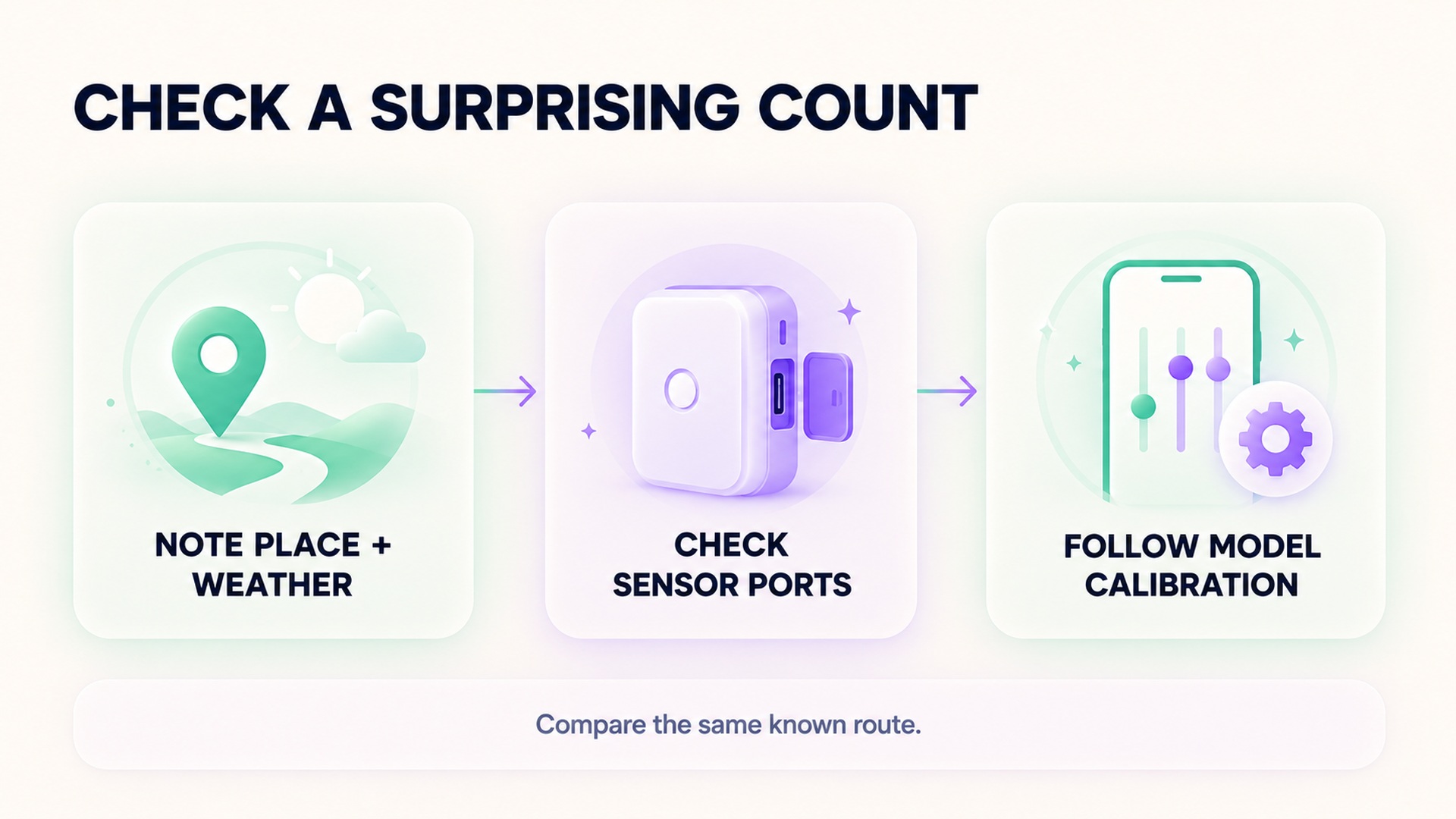
If the counter changes unexpectedly, note where and when it happened. Record whether you were climbing, walking on a level path, entering a building, standing near an open door, or moving through strong wind. Then check whether the same pattern repeats on a familiar staircase with the watch worn and positioned as the manufacturer specifies.
Keep the device and route consistent when comparing a few sessions. A wearable may need time to acquire a stable pressure reference, and changing the route or holding the watch differently can change the sensor input. If your model lets you view elevation or barometric pressure, note those values alongside the floor count, but do not assume that a single pressure curve proves how many floors were climbed.
The smartphone barometer stair-climb study tested whether onboard pressure data could distinguish small height changes in a controlled indoor setting. Its results concern a specific algorithm-development study, not every wearable's floor counter. This is a useful reminder that sensor data can carry information about vertical movement while still requiring a method designed for the device and task.
If the sensor opening is visibly dirty or blocked, follow the manufacturer's cleaning instructions. Do not insert sharp objects or apply liquids unless the device manual specifically allows it. If a supported calibration process exists, use it only as directed and then repeat the same short check. A change in behavior after cleaning or calibration is a clue about the sensor, not proof that every earlier count was wrong for the same reason.
Separate a floor estimate from an elevation record
Floor counts, elevation gain, and stair totals are related but not identical. A floor counter may classify short pressure and movement patterns into floor units. An outdoor route's elevation profile may use barometric pressure, GPS, maps, or a combination. A workout can therefore show an elevation change without adding a floor, or show a floor estimate without a meaningful outdoor climb.
When reviewing a workout, match the metric to the question. If you want to know whether a route gained elevation, review the route's elevation data and its calibration source. If you want to record stair training, keep the actual workout and activity notes. A related guide on what elevation gain adds to a running distance trend explains why elevation context can be useful without making every pressure-derived total exact.
Do not use a wearable floor count to infer a medical change or judge whether movement was beneficial. The feature is designed to summarize activity from sensor inputs, and those inputs can be affected by the surrounding environment. A corrected count may be useful for personal trends, but a daily tally is not a direct observation of all vertical movement.
FAQ
Can weather make a wearable add floors when I did not climb stairs?
It can affect the pressure input used by some floor-count systems, and movement cues may contribute to the classification. The effect varies by device and conditions, so check its guidance and the context around the count.
Does a barometric altimeter directly count stairs?
No. It measures air pressure and estimates elevation change. A device may combine that estimate with movement data to classify a floor, but it does not directly observe every stair.
Should I recalibrate my watch after a pressure-related floor change?
Only if the manufacturer supports calibration for your model and the instructions say to do it. First check the sensor opening and note the conditions; one unusual floor count does not show that calibration is needed.
*This article is for informational purposes only and is not a substitute for professional medical advice, diagnosis or treatment.*
Sources:
Garmin Support·Sensors (Basel, Switzerland)·Google Health Help·Garmin Support·Contemporary Clinical Trials·NOAA National Weather Service
Related articles
Dry chest strap electrodes can distort the start of a workout
Some chest straps need specific electrode preparation to make reliable skin contact. Learn how dry or moving contact can affect an early trace and what to check before treating a startup spike as a heart-rate change.
Cold skin can weaken a wearable pulse signal
Cold exposure can reduce blood flow near the skin and make an optical wrist signal harder to read. Learn how to check a device-specific trace without mistaking missing data for a cardiovascular finding.
Tattoos can affect optical heart rate readings differently from skin tone
Tattoo ink and natural skin pigmentation are distinct factors for optical heart-rate sensors. Learn how to check a device-specific trace without generalizing from one wearable study or treating a gap as a health finding.
Check live sensor support separately from workout import support
A heart-rate graph arriving after a workout does not show whether an external sensor streamed data live. Check sensor pairing, app compatibility, active recording, and later import as separate steps.

A heart rate export may not contain beat interval data
A heart-rate export can contain many beats-per-minute samples without preserving the interval between each beat. Learn which fields to check before treating a file as suitable for HRV analysis.

Checking pool length before trusting a swimming distance record
Pool distance depends on both the configured pool length and the number of lengths detected. Learn how to check those inputs before accepting a swimming distance record.

Why a longest workout record is different from a fastest distance record
A longest-workout record describes duration, while a fastest-distance record uses a defined distance and time. Learn how pause rules and segment boundaries affect each result.

Why a cycling power record needs its effort duration
A cycling power record needs its averaging window to show whether it reflects a brief peak or sustained effort. Learn how duration, sensor source, and workout context affect comparisons.

Keeping transitions visible in a multisport workout record
Transition periods are part of a multisport event’s full timing record. Learn how to keep T1 and T2 separate from sport splits and verify how each activity was timed.

How much confidence to place in wearable vertical oscillation
Vertical oscillation is a device-specific movement estimate, not a universal efficiency score. Learn how to compare readings with attention to speed, sensor placement, and validation limits.