Repeated vibration can add steps without walking
By Mr.Apps · Oct 21, 2026
Category:Wearable

Repeated vibration can add steps to a wearable total even when you are not walking. Most wrist devices infer steps from movement signals rather than directly sensing foot contact. A vibrating vehicle, machine, or repetitive task can create a rhythmic pattern that resembles part of a walking signal, so an algorithm may classify some of that movement as steps.
This does not mean every vibration adds steps, or that every step counter behaves the same way. The device's position, sensor design, algorithm, vibration pattern, and time window all matter. When a total looks unusually high, identify the time block and note what the device was doing instead of inventing a new activity to explain the number.
The useful question is what motion reached the sensor and how the device classified it. If the source was repetitive movement rather than travel on foot, keep that explanation with the time block and preserve the original activity record.
What the wearable detects
An accelerometer records changes in movement along one or more axes. A wrist step algorithm looks for patterns associated with walking or running, such as repeated movement at a plausible cadence and intensity. Some devices also use gyroscopes or additional context to classify activity. The final count is an inference from those signals, not a direct measurement of every footfall.
That inference works well for many ordinary walks but can be challenged by movement that shares some of the same features. A bouncing vehicle, repetitive vibration, rhythmic tool use, hand movement, or arm swing while seated can produce repeated accelerations. If the pattern lasts long enough or falls within the algorithm's expected range, a device may count some of it as steps.
The step-count accuracy guidance from a device maker explains that wrist movement during stationary tasks can affect step totals and that fit and placement can change the count. Those examples are product-specific. They help explain the mechanism without showing that every wearable will react to the same task in the same way.
Why regular vibration can resemble walking
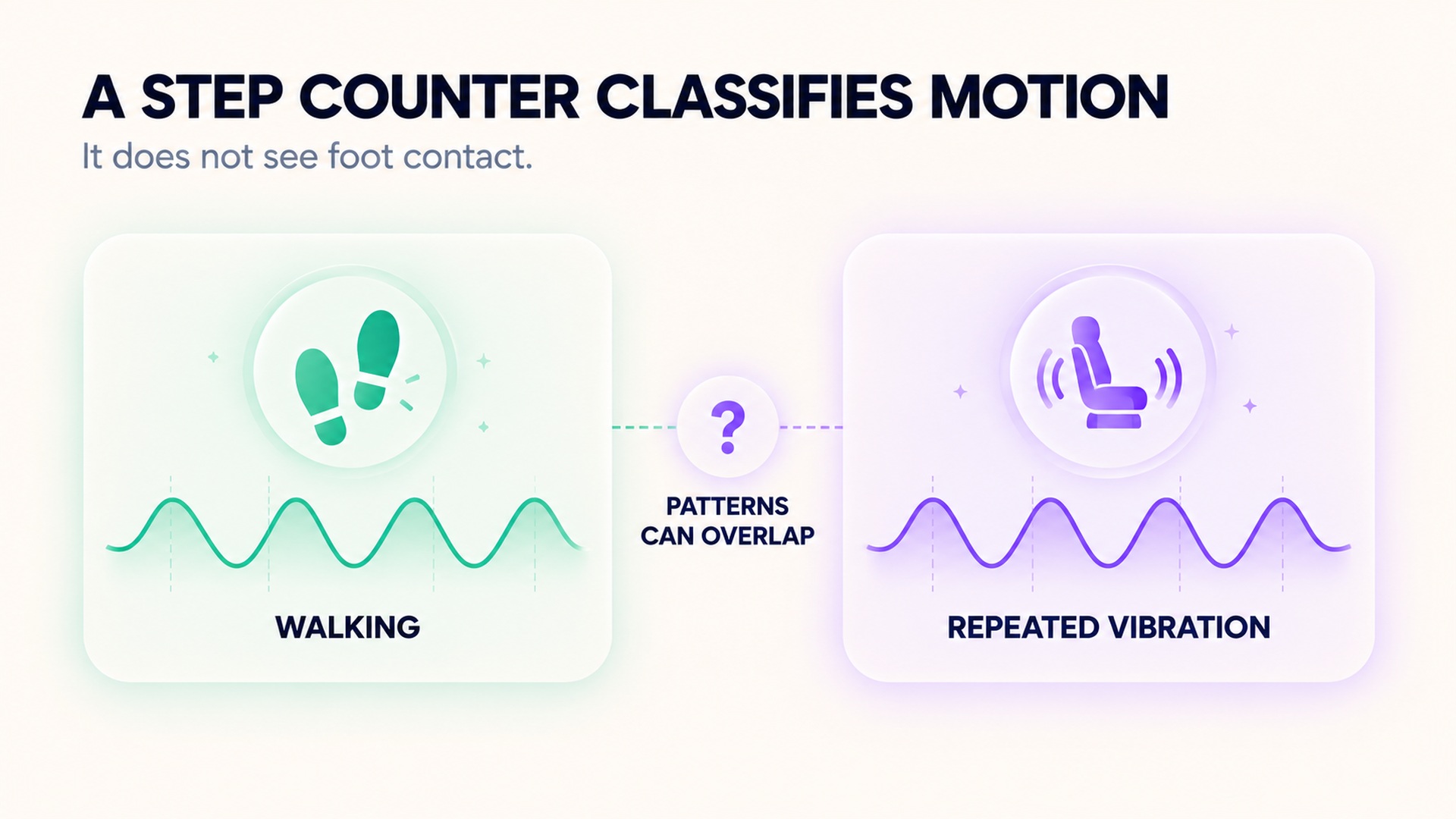
Walking produces a repeated signal as the arm and body move with each step. External vibration also repeats, although the source may be a moving vehicle, powered equipment, or another surface. A step counter is not measuring the cause of acceleration. It receives the motion signal and classifies it using the device's programmed rules.
Vibration can be especially confusing when it is combined with real arm movement. Holding a rail or handle while riding may create a different wrist signal than resting a hand in your lap. A device on the wrist can also move against the skin if the band is loose. Those extra motions may contribute to counts or gaps, depending on the device.
Researchers have tested this limitation in different settings. A study comparing accelerometers during walking and motor-vehicle travel used actual step counts as a reference and found that some devices registered steps during travel while one tested model did not. The study concerns the devices and vehicle conditions it evaluated; it is evidence that false counts are possible, not a claim that every tracker overcounts every ride.
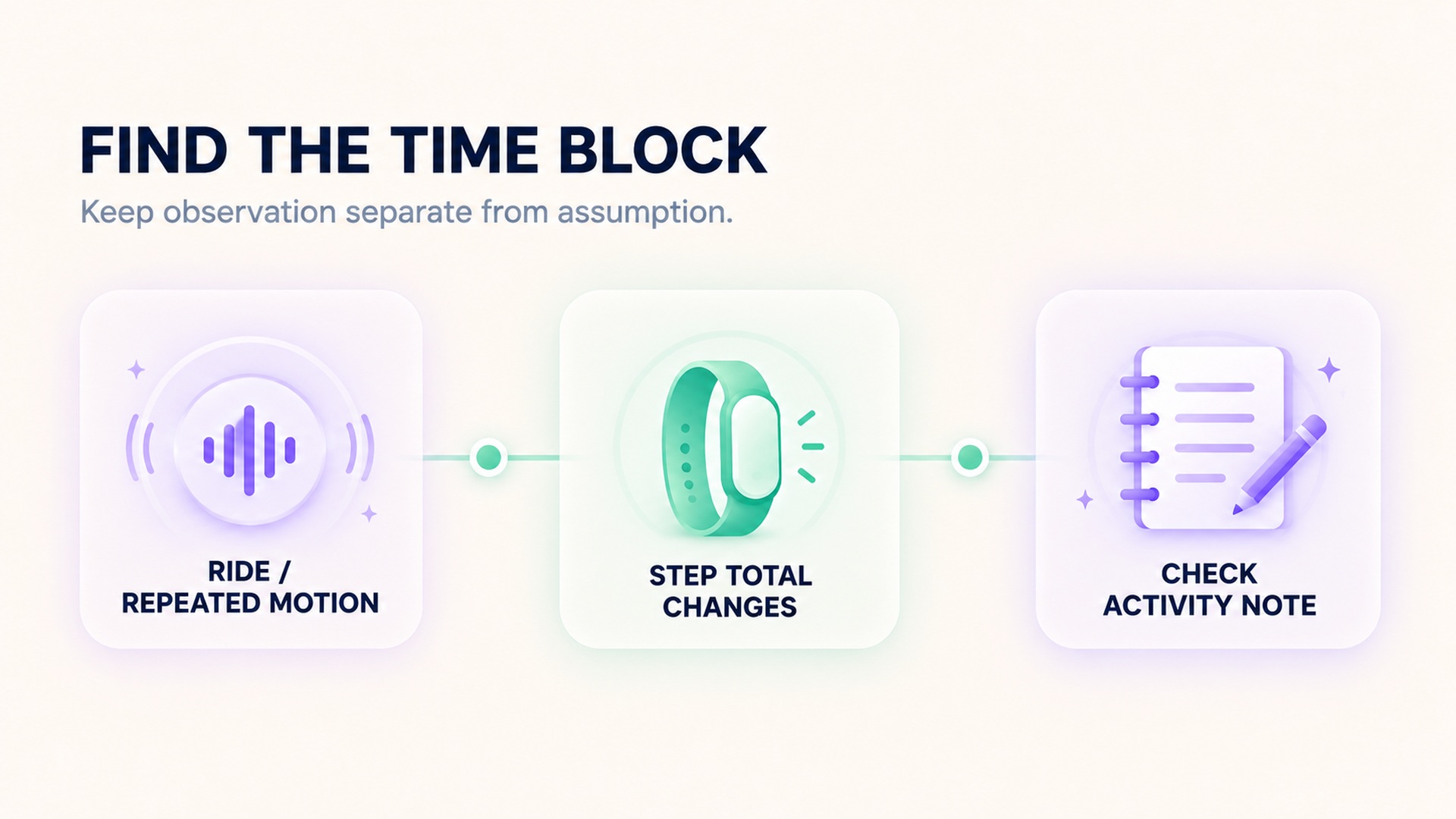
Find the interval instead of guessing
If the step total jumps unexpectedly, check the timeline for when the increase happened. Compare it with a work shift, ride, chore, or other period when repetitive motion occurred. If the app shows hourly steps or an activity graph, use that view to locate the block. If it only shows a daily total, the exact time may not be recoverable, so note the uncertainty rather than assigning the total to a specific activity.
Keep the device worn as intended and check whether the band fits securely without discomfort. If you compare with a phone or another device, remember the sensor may sit in a different place and use a different algorithm. A phone in a pocket, a tracker on the wrist, and a reference device on the ankle will not receive the same movement signal. Their totals can differ even during walking, and a difference does not automatically tell you which one is right.
The free-living step-count study compared wrist and other device placements with a reference method over multiple days and discusses false steps during non-ambulatory movement. A broader review of step-count measurement considerations also describes how thresholds, placement, and filtering influence the balance between false positives and missed steps. These sources support checking placement and context; they do not offer a universal number to subtract from your daily count.
Ask what the step total represents
A step total is not a route, a number of miles, or a measure of time spent walking. Many wrist trackers count motion patterns and estimate distance using a separate stride-length or location method. If vibration adds step-like movements, it does not show that you crossed the corresponding distance. Keep the step estimate distinct from GPS route distance and from a workout that was deliberately recorded as walking.
This distinction helps when the number rises during a repetitive task. A device may have detected motion throughout the interval but may not retain raw accelerometer data for later review. The daily summary might show only the total, while an hourly graph offers a rough clue about timing. If the interval overlaps a work shift or ride, record that context without deciding that every added step came from vibration.
Do not compare a single day's count with a step goal as though all days contain the same mix of movement. A vibrating ride, unusually active arm task, changed wrist, or activity with limited arm swing can affect how much walking-like motion reaches the sensor. A trend across similar days can still be informative if the same device and wearing position were used, but the trend should not hide an unusual interval that changes the total.
If the device lets you see a time-stamped activity graph, mark the interval and leave the original total unchanged unless there is a clear correction feature. If you cannot identify when the count occurred, describe it as an unexplained increase. That is more accurate than inventing a walk, assigning the steps to a workout, or manually redistributing them across the day.
Keep false positives separate from missed steps
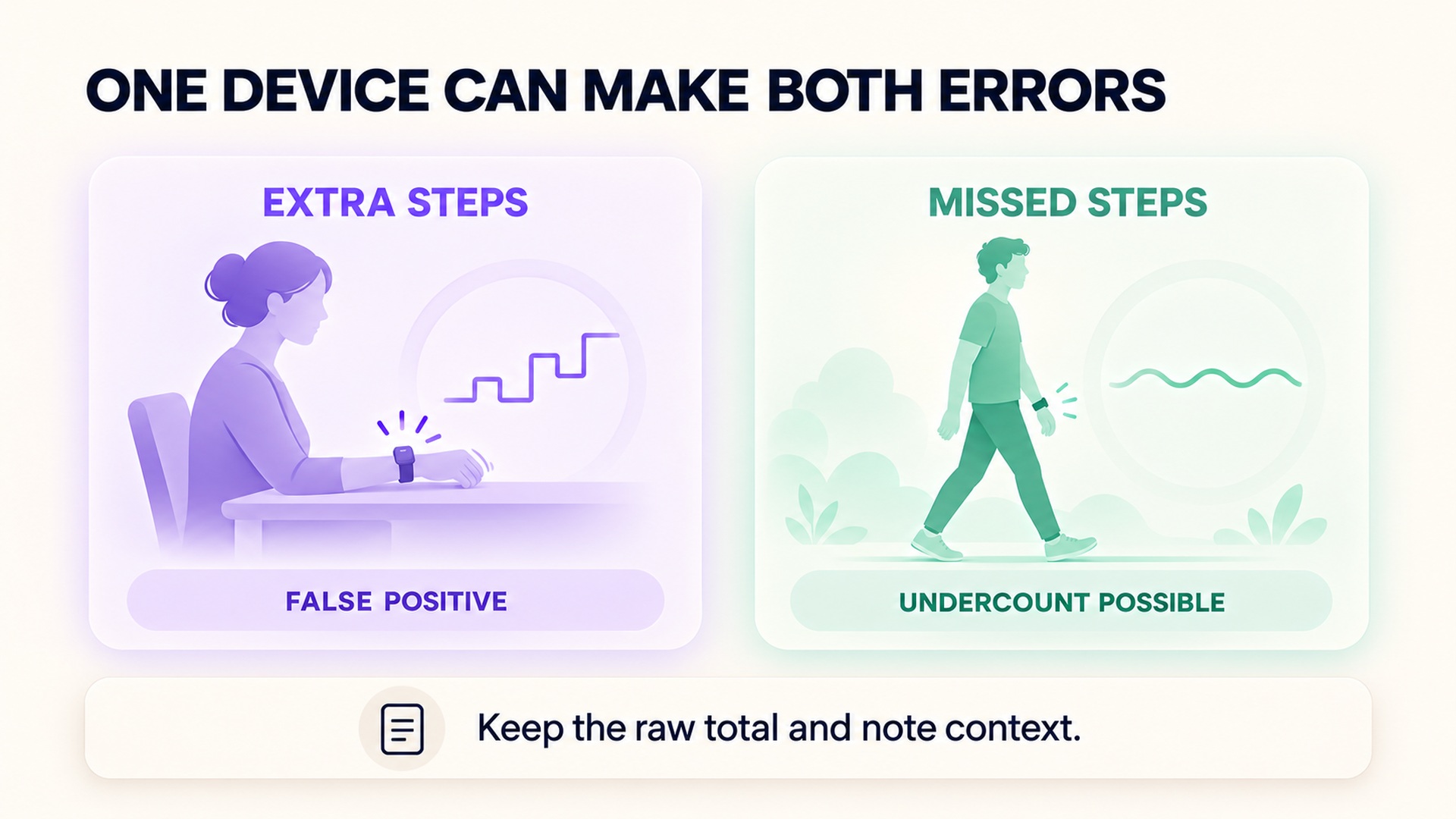
An extra count during vibration is a false positive. A step missed because the wrist stays still while walking is a different error. Carrying groceries, pushing a cart, holding a handrail, or pushing a stroller can reduce arm swing and lead to undercounting for some wrist devices. The same device can therefore overcount during one activity and miss movement during another.
The daily activity calculation guide describes how arm movement and device placement affect step detection in supported products. For the opposite problem, see the related guide to missing wearable step data. Keeping false and missed steps distinct makes the record more useful than treating the daily total as either fully accurate or completely unreliable.
Do not recode the vibration interval as a walk unless you have evidence that walking occurred. If the app offers a documented correction process, preserve the original value and record why you made the change. When a step count is used for research or a clinical decision, select a measurement method that matches the purpose and document its limitations.
When to ask the manufacturer
If the device repeatedly adds large blocks during ordinary use, check its current placement and fit instructions, install updates through its normal app, and contact the manufacturer with the time range and activity context. A short repeatable test can help support staff understand the problem, but it should not replace the original data or be presented as a formal validation.
A study comparing activity trackers with direct observation found that step accuracy varied across device types and conditions. The comparison of smartphone applications and wearable activity monitors supports treating a step count as an estimate, especially when the movement pattern differs from ordinary walking. It cannot predict the error for a specific device, vibration source, or user.
The practical takeaway is simple: use a suspicious step increase as a cue to inspect its timing and context. A wearable can mistake repetitive motion for walking, and the exact result depends on the signal and device. Keep the data and the explanation separate so a vibration-driven count does not become a claim that you completed an unobserved walk.
FAQ
Can a vibrating vehicle make a wearable count steps?
It can for some device and motion combinations. A step counter classifies movement signals and may mistake repeated vibration or wrist movement for part of a walking pattern. Check the timeline and your device-specific guidance.
Should I subtract the steps from a ride or machine task?
Do not subtract an estimated number without a documented method. Note the interval and what was happening, preserve the original total, and use a supported correction process only if the device provides one.
Can the same wearable both miss and add steps?
Yes. A wrist device may add counts during repetitive non-walking movement and miss some walking when the arm is still. Placement, activity, and the algorithm can affect each pattern differently.
*This article is for informational purposes only and is not a substitute for professional medical advice, diagnosis or treatment.*
Sources:
Google Health Help·IEEE journal of biomedical and health informatics·British Journal of Sports Medicine·Physiological measurement·Sports medicine (Auckland, N.Z.)·JAMA Network
Related articles

Instant pace can fluctuate while lap pace stays stable
Current pace and lap pace summarize different time windows, so one can jump while the other stays steady. Learn which field fits a live pacing decision and which is better for reviewing a sustained segment.
When a recorded route cuts corners, distance can be understated
A GPS route can connect recorded positions with a line that clips tight bends, leaving out part of the path. Learn why sampling, signal conditions, and route rendering can affect distance without implying a change in fitness or pace.
Why a floor counter can change when air pressure changes
Some wearable floor counters estimate elevation from air pressure and movement signals. Learn why weather, doorways, and calibration can affect the estimate, and how to review a surprising count.
Dry chest strap electrodes can distort the start of a workout
Some chest straps need specific electrode preparation to make reliable skin contact. Learn how dry or moving contact can affect an early trace and what to check before treating a startup spike as a heart-rate change.
Cold skin can weaken a wearable pulse signal
Cold exposure can reduce blood flow near the skin and make an optical wrist signal harder to read. Learn how to check a device-specific trace without mistaking missing data for a cardiovascular finding.
Tattoos can affect optical heart rate readings differently from skin tone
Tattoo ink and natural skin pigmentation are distinct factors for optical heart-rate sensors. Learn how to check a device-specific trace without generalizing from one wearable study or treating a gap as a health finding.
Check live sensor support separately from workout import support
A heart-rate graph arriving after a workout does not show whether an external sensor streamed data live. Check sensor pairing, app compatibility, active recording, and later import as separate steps.

A heart rate export may not contain beat interval data
A heart-rate export can contain many beats-per-minute samples without preserving the interval between each beat. Learn which fields to check before treating a file as suitable for HRV analysis.

Checking pool length before trusting a swimming distance record
Pool distance depends on both the configured pool length and the number of lengths detected. Learn how to check those inputs before accepting a swimming distance record.

Why a longest workout record is different from a fastest distance record
A longest-workout record describes duration, while a fastest-distance record uses a defined distance and time. Learn how pause rules and segment boundaries affect each result.